
In modern customer service environments, speed, accuracy, and personalization are critical. Voice AI within Pega Customer Service addresses these needs by providing real-time assistance to agents during live customer calls.
By analyzing conversations as they happen, Voice AI can intelligently suggest next-best actions, recommend relevant cases, and surface knowledge articles—empowering Customer Service Representatives (CSRs) to deliver faster and more consistent service.
How Voice AI Works
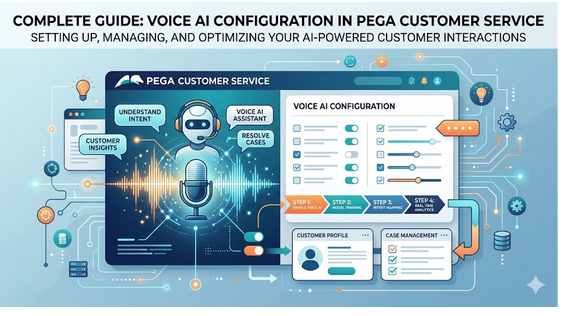
At a high level, Voice AI operates through a continuous pipeline:
- Audio Capture – The agent’s desktop application captures live call audio
- Streaming & Processing – Audio is streamed to Voice AI services
- Speech-to-Text Conversion – Conversations are converted into transcripts
- Natural Language Processing (NLP) – The system analyzes intent, entities, and context
- Real-Time Suggestions – Recommendations are displayed instantly to the agent
This real-time loop allows agents to act proactively rather than reactively.
Architecture Overview
Voice AI relies on a combination of front-end applications, backend processing, and integration layers within Pega Platform.
Core Components:
- Voice AI Desktop Application
- Voice AI Services (Speech + NLP)
- Data Flow Processing Engine
- Queue Processors
- CTI Integration Layer
- App Studio & Dev Studio Configurations
Each component plays a critical role in ensuring seamless real-time interaction.
Implementation Roadmap
A structured implementation approach is essential for success. Below is an expanded step-by-step roadmap:
1. Prerequisites
Before starting:
- Ensure required Voice AI components are installed
- Validate environment compatibility
- Confirm network and security configurations
- Verify access to Voice AI services credentials
2. Preparatory Configuration
Initial setup includes:
- System readiness validation
- Environment configuration
- Dependency checks for real-time processing
3. Authentication Setup
Create a secure authentication profile to enable communication between Pega and Voice AI services.
Key configuration elements:
- OAuth-based authentication
- Client credentials (ID & Secret)
- Secure token endpoint
- TLS 1.2 encryption
This ensures secure and reliable API communication.
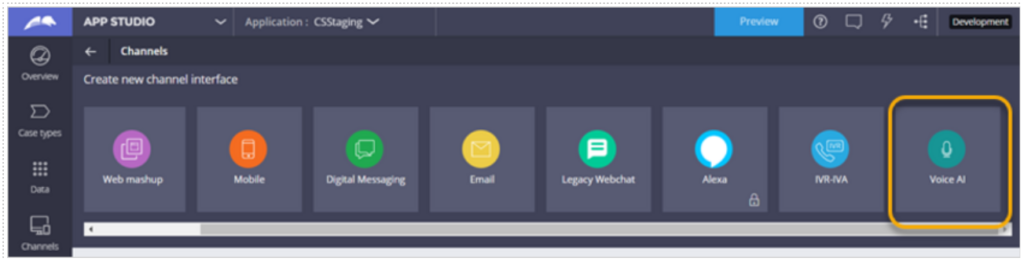
4. Voice AI Channel Configuration
The Voice AI channel defines how suggestions are generated and delivered.
Key configurations:
- Select case types for recommendations
- Link knowledge articles
- Define trigger phrases/topics
- Configure entity extraction (e.g., location, customer details)
Advanced capability:
Auto-fill forms using extracted entities during conversations.
5. Enable Intelligent Guidance
Agents receive suggestions through the Interaction Portal.
Configuration options:
- Enable intelligent guidance
- Control number of suggestions displayed
- Optimize relevance of recommendations
This directly impacts user experience and agent productivity.
6. Configuration Set
The configuration set acts as the central control panel for Voice AI.
Includes:
- Feature toggles
- Processing rules
- Behavioral configurations
Proper tuning here ensures optimal performance and accuracy.
7. Transcript Retrieval Setup
Voice AI uses a dedicated data flow to retrieve and process transcripts.
Responsibilities:
- Fetch transcripts from audio router
- Enable real-time processing
- Feed NLP engine for insights
8. Queue Processor Configuration
Queue processors handle asynchronous operations:
- TranscriptProcessor → Processes incoming transcripts
- TranscriptArchiver → Stores transcripts for analysis and compliance
Infrastructure requirement:
- Dedicated Real-Time Node
- Dedicated Background Processing Node
This separation ensures performance and scalability.
9. Voice AI Desktop Application
Each CSR must install the desktop application.
Key functions:
- Captures both agent and customer audio
- Streams audio securely
- Tracks call lifecycle events
Without this component, Voice AI cannot function.
10. CTI Integration
Voice AI integrates with telephony systems.
Scenarios:
- Standard CTI (Out-of-the-box): No additional setup
- Custom CTI: Requires implementation of:
- Call start notifications
- Call end notifications
This ensures synchronization between calls and AI processing.
11. Testing and Validation
After configuration:
- Run verification activities
- Validate transcript retrieval
- Check suggestion accuracy
- Monitor logs for issues
Testing ensures production readiness.
Dev Studio Configuration Details
Rulesets
Voice AI rules are packaged and imported into the application.
Best practice:
Ensure correct ruleset stacking and version alignment.
Roles and Access Control
Two primary roles govern access:
- VoiceAI:CSR
- Access to suggestions
- Interaction Portal integration
- VoiceAI:Manager
- Transcript review
- Conversation analysis
Proper role assignment ensures security and usability.
Data Flow Configuration
Located under Decisioning, the data flow is responsible for:
- Real-time transcript ingestion
- Processing pipeline execution
Queue Processors in Admin Studio
Monitor and manage processing performance:
- Track job execution
- Identify failures
- Optimize throughput
Best Practices
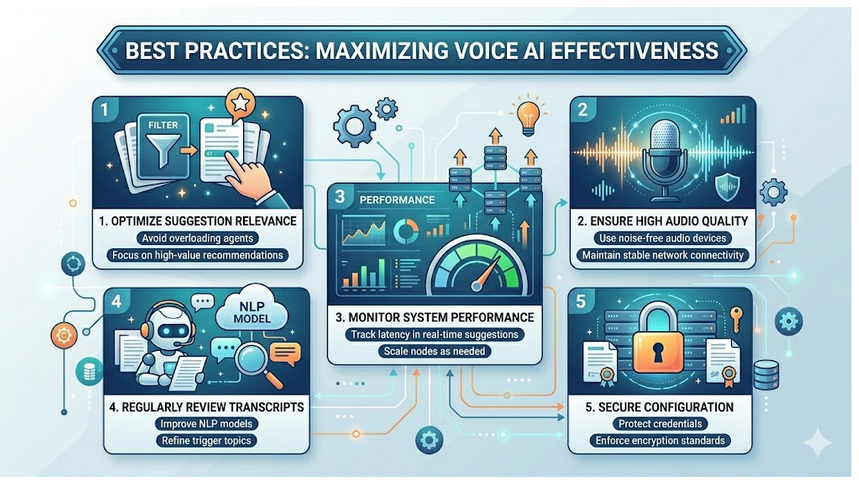
To maximize the effectiveness of Voice AI:
1. Optimize Suggestion Relevance
- Avoid overloading agents with suggestions
- Focus on high-value recommendations
2. Ensure High Audio Quality
- Use noise-free audio devices
- Maintain stable network connectivity
3. Monitor System Performance
- Track latency in real-time suggestions
- Scale nodes as needed
4. Regularly Review Transcripts
- Improve NLP models
- Refine trigger topics
- Protect credentials
Common Challenges and Solutions
| Challenge | Solution |
| Duplicate or irrelevant suggestions | Refine channel topics and mappings |
| Delayed suggestions | Scale real-time processing nodes |
| Missing transcripts | Verify data flow and queue processors |
| CTI sync issues | Ensure proper call event integration |
Benefits of Voice AI
Implementing Voice AI delivers measurable advantages:
- Faster call resolution
- Improved agent productivity
- Consistent customer experience
- Reduced training time for new agents
- Better compliance through transcript tracking
Voice AI is a powerful capability within Pega Customer Service that transforms how organizations handle customer interactions.
By combining real-time speech processing, intelligent recommendations, and seamless integration with existing systems, it enables agents to provide faster, smarter, and more personalized service.
A well-planned and properly configured implementation ensures that businesses fully leverage the potential of Voice AI—turning every customer conversation into an opportunity for excellence.
–TEAM ENIGMA
