

Introduction
In Pega, every interaction between a user and the system is managed through a Requestor. A requestor represents an active session connecting a user, browser, service, or background process to the Pega platform.
Understanding the complete Requestor Lifecycle is essential for system architects, administrators, and developers because it directly impacts:
- User authentication
- Session management
- Clipboard creation
- Performance monitoring
- Security enforcement
- Resource utilization
- System scalability
The Requestor Lifecycle controls how users connect, interact, process requests, and disconnect from the Pega application environment.
What is a Requestor?
A Requestor is an active instance of a user or process connected to the Pega system.
Whenever a user logs in or a system process starts execution, Pega creates a requestor session to manage all interactions during that connection.
A requestor contains:
- User session information
- Clipboard data
- Access group details
- Rule cache references
- Thread management
- Request processing context
Each requestor operates independently within the system runtime.
Types of Requestors in Pega
Browser Requestor
Created when a user logs into the Pega application through a web browser.
Used for:
- Case management
- UI interactions
- User activities
- Portal access
Application Requestor
Used by background processing components.
Commonly used for:
- Queue Processors
- Job Schedulers
- Agents
- Background utilities
Batch Requestor
Created during batch processing operations.
Used for:
- Large-scale data processing
- Batch jobs
- Scheduled executions
Service Requestor
Created when external systems interact with Pega through integrations.
Used for:
- REST services
- SOAP services
- API processing
- External system communication
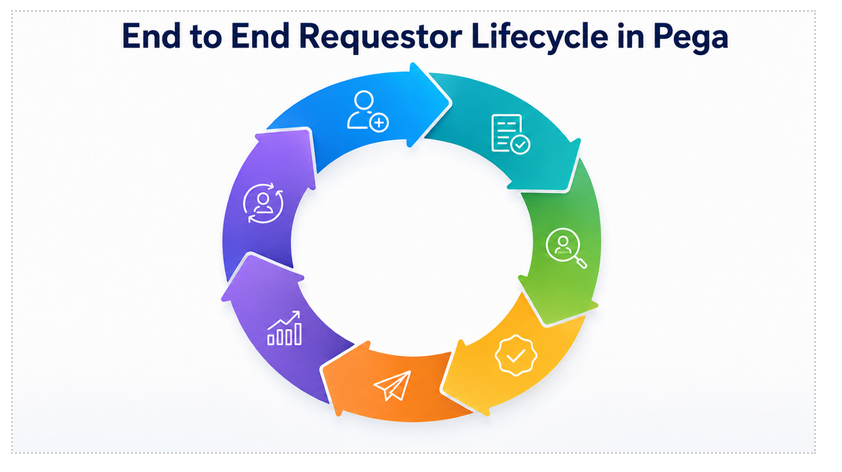
End-to-End Requestor Lifecycle
1. Requestor Initialization
The lifecycle begins when a user or external system initiates a connection to the Pega platform.
Examples include:
- User login
- API request
- Background process execution
- Service invocation
At this stage, Pega creates a requestor instance.
2. Authentication & Authorization
Pega validates the identity of the requestor using configured authentication mechanisms.
Authentication methods may include:
- Basic authentication
- LDAP
- SSO
- OAuth
- Custom authentication services
Once authenticated, authorization is performed using:
- Access Groups
- Roles
- Privileges
- Access Roles to Objects (ARO)
3. Requestor Session Creation
After successful authentication:
- A requestor session is created
- Unique requestor ID is assigned
- Session context is initialized
- User environment is prepared
The session maintains runtime information throughout the user interaction.
4. Clipboard Creation
Pega creates a clipboard associated with the requestor.
The clipboard stores:
- Case data
- Temporary pages
- Data pages
- Parameter pages
- Runtime processing information
Clipboard memory is isolated per requestor.
5. Access Group & Rule Resolution
The Access Group determines:
- Application context
- Available rulesets
- Portal configuration
- Class structure
Pega performs rule resolution to identify:
- Sections
- Flows
- Activities
- Data transforms
- UI rules
The requestor now operates within the configured application environment.
6. Thread Creation & Request Processing
Each request inside a requestor runs through threads.
Threads manage:
- Parallel processing
- Multiple assignments
- Background operations
- Independent clipboard pages
During execution:
- User requests are processed
- Business rules are executed
- UI rendering occurs
- Integrations are triggered
7. User Interaction Phase
During active usage, the requestor continuously processes:
- Case actions
- Form submissions
- Flow executions
- Data updates
- UI refreshes
- API interactions
The requestor maintains session state throughout the interaction lifecycle.
8. Background Processing Support
The requestor may trigger background operations such as:
- Queue Processors
- Job Schedulers
- Agents
- SLA processing
- Email processing
These operations may create additional requestors internally.
9. Session Monitoring & Resource Management
Pega continuously monitors requestor activity.
Monitoring includes:
- CPU utilization
- Clipboard size
- Memory consumption
- Active threads
- Request processing time
Administrators monitor requestors using:
- Admin Studio
- Performance tools
- System Management Application (SMA)
- Predictive Diagnostic Cloud (PDC)
10. Timeout & Session Expiration
If the requestor remains inactive beyond configured limits:
- Session timeout occurs
- Clipboard is cleared
- Resources are released
- Authentication context is destroyed
Timeout settings are configured at application or server level.
11. Logout or Requestor Termination
The lifecycle ends when:
- User logs out
- Browser session closes
- Service request completes
- Background job finishes
- System terminates inactive sessions
During termination:
- Clipboard pages are removed
- Threads are stopped
- Memory is released
- Session context is destroyed
The requestor is completely removed from active memory.
Real-Time Example
A customer logs into an insurance portal built on Pega.
The system authenticates the user, creates a browser requestor, initializes the clipboard, loads the access group, and renders the portal UI.
As the customer submits policy details, the requestor processes flows, updates clipboard data, and communicates with backend systems.
After logout, the requestor session is terminated and all allocated resources are released.
Key Components
- Requestor
- Clipboard
- Threads
- Access Groups
- Rule Resolution
- Authentication Services
- Session Management
- Queue Processors
- Data Pages
- Background Processing
Requestor Management Tools
Admin Studio
Used to monitor:
- Active requestors
- Node health
- Session statistics
- Running processes
Clipboard Tool
Used to inspect:
- Clipboard pages
- Runtime data
- Parameter pages
- Data pages
Tracer
Used to analyze:
- Rule execution
- Flow processing
- Activities
- Data transforms
Performance Analyzer (PAL)
Used to monitor:
- Requestor performance
- Memory usage
- Processing statistics
Common Requestor Issues
Large Clipboard Size
Excessive clipboard pages increase memory consumption and impact performance.
Session Timeout Issues
Improper timeout configuration may affect user experience.
Excessive Threads
Too many active threads can increase system load.
Security Misconfiguration
Incorrect access group or role configuration may expose unauthorized functionality.
Long Running Requestors
Background jobs or integrations may create long-running requestors affecting system scalability.
Best Practices
- Keep clipboard size optimized
- Use proper access group configuration
- Monitor long-running requestors
- Configure appropriate session timeout values
- Minimize unnecessary clipboard pages
- Use data pages efficiently
- Regularly monitor requestor performance
- Secure authentication and authorization mechanisms
Enterprise-Level Monitoring
Organizations use monitoring tools to track:
- Active requestors
- Session health
- Memory utilization
- Performance bottlenecks
- Security events
- Background processing load
Monitoring helps improve:
- System stability
- Scalability
- Performance
- User experience
Recommended Requestor Lifecycle Flow
User/System Request
↓
Authentication
↓
Authorization
↓
Requestor Creation
↓
Clipboard Initialization
↓
Access Group Loading
↓
Rule Resolution
↓
Thread Creation
↓
Request Processing
↓
User Interaction
↓
Session Monitoring
↓
Logout / Timeout
↓
Requestor Termination
Conclusion
The Requestor Lifecycle in Pega is the foundation of user session management and runtime processing.
From authentication to session termination, every requestor manages application interactions, clipboard data, rule execution, and background processing.
Understanding the end-to-end requestor lifecycle helps organizations build secure, scalable, high-performing, and reliable enterprise applications.
