
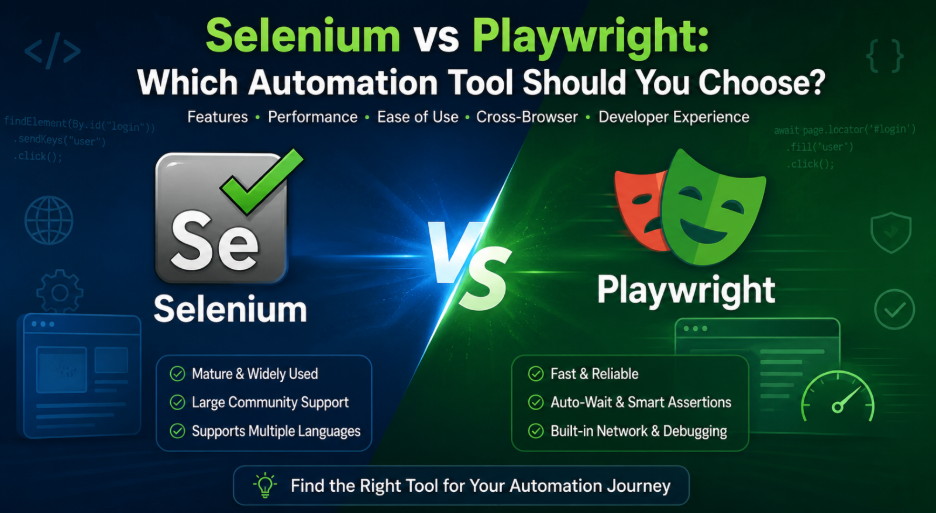
If you write test automation for a living, you have probably had this argument with a coworker at least once. Someone wants to rip out the old Selenium suite and start fresh with Playwright. Someone else says the Selenium suite works fine and a rewrite is a waste of two sprints. Both people have a point, and that is exactly why this comparison keeps coming up every year.
This article walks through Selenium and Playwright side by side: how each one talks to the browser, how fast they run, which browsers and languages they support, how debugging feels day to day, and what each one actually costs to maintain once your test suite grows past a few hundred cases. By the end, you should be able to make the call for your own team instead of relying on whatever a blog post from three years ago told you.
A Quick Introduction to Both Tools
Selenium has been around since 2004. It grew out of a simple idea: let a script drive a real browser the same way a human would, using clicks, keystrokes, and page navigation. Over two decades, it became the default choice for browser automation across nearly every language you can name, and it still sits at the center of the W3C WebDriver standard.
Playwright is much younger. Microsoft released it in 2020, and the core team included several engineers who had previously worked on Google’s Puppeteer project. Playwright was built with modern single-page applications in mind, and it takes a fundamentally different route to controlling the browser than Selenium does.
How They Talk to the Browser
This is the part that explains almost every other difference on this list, so it’s worth slowing down for.
Selenium sends commands through the WebDriver protocol. Your test code talks to a driver process (ChromeDriver, GeckoDriver, and so on) over HTTP, and that driver process talks to the browser. Every click, every page load check, every assertion travels through that extra hop. Selenium 4 added support for the Chrome DevTools Protocol and introduced WebDriver BiDi to close some of the gap, but the request-response pattern is still baked into how the tool fundamentally operates.
Playwright skips the middleman. It opens a single persistent WebSocket connection to the browser and talks to it more or less directly, using the same protocols browser vendors expose for developer tools. There is no separate driver binary to install, no version mismatch between your browser and your driver, and less overhead on every single command.
That one architectural choice is the root cause of most of the speed and stability differences testers notice.
Speed: Does It Actually Matter?
Yes, and the gap is bigger than most people expect once a suite grows large.
Published 2026 benchmarks put Playwright’s average action time at roughly 290 milliseconds, against roughly 536 milliseconds for Selenium doing the same action. On a 250-test end-to-end suite running against a React application, Playwright finished in under four minutes while the equivalent Selenium run took close to seven. Selenium’s driver startup alone adds a few extra seconds to every session before a single test even begins.
That gap compounds fast in a CI/CD pipeline. If your suite runs twenty times a day across pull requests and merges, a 45 percent difference in runtime turns into real, measurable pipeline delay by the end of the week.
Flaky Tests and Auto-Waiting
Ask any QA engineer what they hate most about test automation, and “flaky tests” will come up within the first minute.
Selenium does not wait for an element automatically. If your test clicks a button before the page finishes rendering it, the test fails, even though a human tester would have simply waited half a second. Teams work around this with explicit waits or WebDriverWait calls, but forgetting one wait statement anywhere in a large codebase is enough to introduce intermittent failures.
Playwright checks that an element is visible, enabled, stable, and not covered by another element before it interacts with it. It does this by hooking into the browser’s own rendering cycle rather than polling from the outside. In practice, this removes an entire category of failure that Selenium testers have learned to accept as normal.
Browser and Device Support
Here is one area where Selenium still has an edge, and it’s not a small one.
Selenium supports Chrome, Firefox, Safari, Edge, Opera, and a long list of legacy browsers going back to Internet Explorer. If your user base includes anyone on an older corporate machine running IE11, Selenium is still the only realistic option among the two.
Playwright covers Chromium, Firefox, and WebKit out of the box, with browser binaries bundled directly into the installation. That covers the vast majority of modern traffic, but it will not help you if legacy browser coverage is a hard requirement written into a compliance document somewhere.
Neither tool automates native mobile apps on its own. Testing an iOS or Android app still requires a separate tool such as Appium, which pairs more naturally with Selenium’s existing driver model.
Language Support
Selenium’s bindings cover Java, Python, C#, Ruby, JavaScript, and PHP, and most of those bindings have been maintained for well over a decade. If your QA team is split across three languages, Selenium gives every one of them a consistent API to work with.
Playwright officially supports JavaScript, TypeScript, Python, Java, and C#. The JavaScript and Python versions get the most active development and the richest feature set. The Java and C# bindings work well but tend to lag slightly behind in new feature rollout.
Debugging Experience
Selenium debugging usually means reading stack traces, adding print statements, and occasionally attaching a browser inspector by hand. It works, but it takes practice, and post-mortem debugging of a CI failure that only happens on the build server can eat a whole afternoon.
Playwright ships with a Trace Viewer that records a complete run: DOM snapshots at every step, network activity, console logs, and even a visual timeline you can scrub through after the fact. When a test fails in CI, you open the trace file and watch exactly what the browser did, rather than guessing from a log file.
Network Interception and Modern Testing Needs
Modern testing rarely stops at clicking buttons. Teams need to mock API responses, block third-party trackers, or simulate a slow network connection.
Selenium historically leaned on a separate proxy tool sitting between the browser and the network to pull this off, which added its own point of failure through certificate handling and extra infrastructure. Selenium 4’s built-in network interceptor helps, but it remains an add-on layered onto an older protocol.
Playwright gets this almost for free. Because it already sits between the browser and its network stack, it can pause, modify, or block requests natively, with no proxy server and no certificate installation required.
Cost and Long-Term Maintenance
This is the part that rarely shows up in a feature comparison table, but it shows up clearly on a budget spreadsheet.
A self-hosted Selenium Grid is not free just because the software itself has no license fee. Someone has to provision the infrastructure, manage driver versions across every browser and OS combination, and spend hours chasing down flaky failures that turn out to be timing issues rather than real bugs. That upkeep is sometimes called a “maintenance tax,” and for larger suites it adds up to real annual cost in engineering time.
Playwright’s bundled browsers and lighter resource footprint cut a good chunk of that overhead. Its browser context model lets you spin up many isolated sessions inside a single browser process instead of launching a full new browser for every test, which meaningfully reduces infrastructure cost in containerized environments like Docker or Kubernetes.
None of this means Selenium is a bad investment. If you already have five thousand passing tests built on it, the migration cost can easily outweigh the savings, at least in the short term.
Selenium vs Playwright: Comparison Table
| Factor | Selenium | Playwright |
| First released | 2004 | 2020 |
| Communication protocol | WebDriver over HTTP | Persistent WebSocket / CDP |
| Browser support | Chrome, Firefox, Safari, Edge, Opera, legacy browsers | Chromium, Firefox, WebKit |
| Setup | Separate driver management required | Bundled browser binaries |
| Auto-waiting | Manual explicit waits | Built-in actionability checks |
| Language support | Java, Python, C#, Ruby, JavaScript, PHP | JavaScript, TypeScript, Python, Java, C# |
| Average action speed | Slower (HTTP overhead) | Faster (direct connection) |
| Debugging tools | Logs, stack traces, manual inspection | Built-in Trace Viewer |
| Network interception | Requires proxy or WebDriver add-on | Native, built into architecture |
| Mobile app testing | Via Appium | Not supported natively |
| Best fit | Enterprise, multi-language teams, legacy browser support | Modern web apps, new projects, CI/CD-heavy pipelines |
When Selenium Is the Right Call
- Your team writes tests in more than one language across the organization.
- You operate under compliance rules that require an approved, long-established framework.
- You maintain a large existing Selenium suite, and the cost of a full rewrite genuinely outweighs the benefit.
- Your users include people on Internet Explorer or other legacy browsers.
- You already automate native mobile apps through Appium and want one consistent mental model across web and mobile.
When Playwright Is the Right Call
- You’re starting a brand-new automation project today.
- Your application is a modern single-page app built with React, Vue, or Angular.
- Flaky tests caused by timing issues have become a recurring headache for your team.
- You want faster CI/CD runs without adding extra hardware.
- You need reliable network mocking or request interception for your test scenarios.
Frequently Asked Questions
Is Playwright replacing Selenium? Not entirely. Playwright has become the more common default for new projects, but Selenium still runs a large share of enterprise test suites and remains the foundation of the W3C WebDriver standard. Both tools continue active development.
Which tool is faster, Selenium or Playwright? Playwright is faster in nearly every published benchmark, largely because it avoids the HTTP round trip that Selenium’s WebDriver protocol requires. The gap grows wider as test suites get larger.
Can Playwright test on Safari? Playwright tests against WebKit, the engine Safari is built on, rather than Safari itself. This gives close but not identical coverage. Selenium can drive the actual Safari browser on macOS.
Does Playwright support Java and C#? Yes, though the JavaScript and Python bindings receive more frequent updates and a wider feature set than the Java and C# versions.
Should I migrate my existing Selenium suite to Playwright? It depends on the size of your suite and how much flakiness or maintenance pain you’re currently dealing with. Small to mid-sized suites often benefit from a switch. Very large, stable suites sometimes cost more to migrate than they save, at least in the near term.
Do either of these tools test native mobile apps? No. Both are browser automation tools built for web testing. Native mobile app testing on iOS or Android requires a separate tool, most commonly Appium alongside Selenium.
Final Thoughts
There is no single correct answer to Selenium vs Playwright, no matter what a headline promises. Playwright wins on speed, built-in stability, debugging tools, and lower long-term infrastructure cost, and it’s the sensible default for a team starting a project today. Selenium wins on browser breadth, language coverage, and the sheer weight of twenty years of documentation, integrations, and institutional knowledge.
The right choice depends on what you’re already running, what your team already knows, and what your users are actually browsing with. Look at those three things honestly, and the decision usually makes itself.
