
Introduction
Imagine you are developing a Pega application that sends email notifications when a case reaches a particular stage.
During development, the email integration is not ready. You need to disable notifications temporarily. Later, the business team wants to enable them without requiring another development change.
How would you manage this requirement?
One option is to modify application rules whenever the requirement changes. However, repeatedly changing rules for simple configuration requirements can increase maintenance effort and deployment risks.
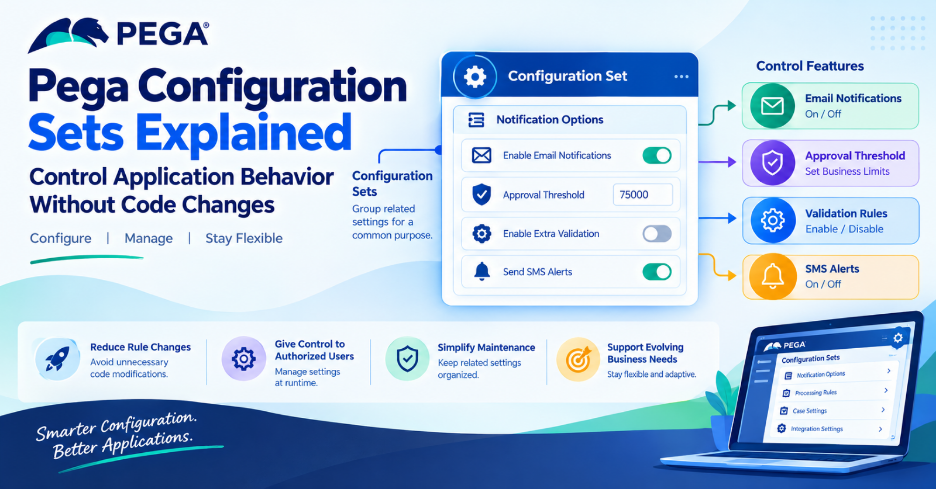
Pega Configuration Sets provide a low-code way to manage application behavior through configurable settings.
Instead of embedding every business parameter directly into application logic, developers can expose selected settings that authorized users can change at runtime.
Configuration Sets are especially useful when business requirements evolve and application behavior needs to remain flexible.
In this article, we explore how Configuration Sets work, where they are useful, and how developers can use them effectively. The concepts are covered in the official Pega Academy learning material. Pega Academy: Configuration Sets
What Are Configuration Sets in Pega?
A Configuration Set is a collection of related Configuration Settings organized around a common purpose, such as an application feature or a specific Case Type.
A Configuration Setting represents an individual value that controls some aspect of application behavior.
For example, an application might contain settings for email notifications, approval thresholds, and additional case-processing options.
The structure could look like this:
Pega Application
|
└── Configuration Set
|
├── Enable Email Notifications
|
├── Approval Threshold
|
└── Enable Additional Validation
Each setting controls a particular behavior or parameter.
Configuration Sets help developers manage these options in a consistent location rather than relying on numerous custom rule changes.
Pega Academy explains that this approach can reduce rule overrides and simplify application maintenance, upgrades, and deployment.
Why Are Configuration Sets Important?
Business requirements rarely remain unchanged throughout an application’s lifetime.
A company might introduce a new approval process, temporarily disable an integration, or change a business threshold.
Without configurable settings, developers might need to modify application rules for each change.
Configuration Sets provide a more flexible approach.
1. Reduce unnecessary rule changes
Simple changes to supported configuration values may not require changes to the underlying business logic.
2. Give authorized users more control
Depending on the application’s configuration and access permissions, business users or administrators can update selected values at runtime.
3. Simplify maintenance
Grouping related settings makes it easier to understand which parameters control a particular feature.
4. Support evolving business requirements
Developers can design applications with configurable behavior rather than hard-coding every business parameter.
The goal is not to eliminate application development. It is to avoid unnecessary development changes for values that are intended to be configurable.
Configuration Sets vs Configuration Settings
Although the terms sound similar, they serve different purposes.
| Configuration Set | Configuration Setting |
| Groups related settings | Stores an individual configurable value |
| Represents a common feature or purpose | Represents a specific parameter |
| Helps organize configuration | Controls a particular behavior or value |
| Can contain multiple settings | Belongs to a configuration grouping |
For example, consider a Case Processing Options Configuration Set.
It might contain individual Boolean settings to enable or disable selected processing options.
The set organizes the options, while each setting controls its own value.
Real-World Example: Managing Email Notifications
Consider a customer service application that sends an email when a service request is created.
The business wants to control whether email notifications are enabled.
Instead of building separate business logic for every environment or repeatedly modifying rules, developers can design a suitable configuration setting.
For example:
Configuration Set: Notification Options
Configuration Setting: Enable Email Notifications
Value type: Boolean
Possible values:
- true — Enable the configured notification behavior.
- false — Disable the configured notification behavior.
The application can reference the setting in an appropriate condition or supported configuration point.
Conceptually, the behavior would be:
Case Created
|
v
Check Notification Setting
|
+—- Enabled —-> Send Email
|
+—- Disabled —> Skip Email
This is a conceptual example. The actual implementation depends on where the application references the setting and how the email process is configured.
The important point is that the application behavior can be controlled through a configurable value instead of requiring a new rule change every time the business changes its preference.
Pega Academy identifies controlling feature availability as one of the main uses of Configuration Settings. Pega Academy: Configuration Sets
Another Example: Configurable Approval Thresholds
Suppose a financial services application requires manager approval when a transaction exceeds a particular amount.
The business initially sets the approval threshold at ₹50,000.
Later, the business changes the threshold to ₹75,000.
If the threshold is designed as a configurable setting, the application can reference that value when determining the appropriate processing path.
Transaction Submitted
|
v
Read Approval Threshold
|
v
Compare Transaction Amount
|
+—- Above Threshold
| |
| v
| Manager Approval
|
+—- At or Below Threshold
|
v
Normal Processing
This allows the business parameter to change without unnecessarily duplicating the approval logic.
However, the approval rule must still enforce the correct business conditions. Configuration makes the threshold adjustable; it does not replace the decision logic itself.
How to Create Configuration Sets
Pega Academy describes creating and maintaining Configuration Sets through App Studio.
The general workflow is:
Step 1: Open App Studio
Open the application in App Studio.
Step 2: Navigate to Configurations
Open the Settings area and select Configurations.
Step 3: Create a Configuration Set
Create a set that represents the feature or business purpose you want to configure.
For example, you could create a set named Notification Options.
Step 4: Add Configuration Settings
Create individual settings within the set.
Examples include a Boolean option to enable a feature or a numeric value representing a business threshold.
Step 5: Configure the setting values
Define appropriate values and defaults according to the available configuration options and the application’s requirements.
Step 6: Reference the setting in application logic
Use the supported configuration mechanism, such as the Condition Builder where appropriate, to reference the setting in the relevant application behavior.
Step 7: Test the configuration
Verify that the application behaves correctly when the setting is changed.
The exact options available depend on the Pega Platform version and the application’s configuration. See the official Pega Academy guidance for the supported configuration workflow. Pega Academy: Configuration Sets
Configuration Sets and User Permissions
Not every application user should be allowed to change every configuration value.
For example, a business administrator might be allowed to change a processing threshold, while a regular case worker should only be able to use the application.
Pega Configuration Sets support role-based access control, allowing access to configuration resources to be managed according to the applicable permissions.
When implementing Configuration Sets, developers should consider:
- Which users can view the settings?
- Which users can update them?
- Which values affect critical business processes?
- Should changes require approval or additional controls?
- How will administrators verify that the updated behavior works as expected?
Important: A configurable setting should not become a way to bypass business authorization or security rules.
Sensitive operations must continue to enforce the application’s security requirements.
Configuration Sets vs Dynamic System Settings
Pega developers may already be familiar with Dynamic System Settings (DSS).
Both concepts can be used to control application behavior through configurable values, but they are not interchangeable in every implementation.
Pega Academy recommends Configuration Settings as the newer framework for the relevant application-configuration use cases, noting benefits such as simpler maintenance and reduced dependence on custom rule changes. Pega Academy: Configuration Sets
| Configuration Sets | Dynamic System Settings |
| Organize related application settings into sets | Provide dynamically configurable system values |
| Designed for supported low-code configuration workflows | Commonly used in existing applications and platform configurations |
| Can support runtime configuration by authorized users | Usage depends on the particular setting and implementation |
| Help reduce unnecessary rule overrides | May remain appropriate for existing or specific technical use cases |
Do not automatically replace every existing DSS with a Configuration Setting.
Before changing an implementation, verify whether the setting is supported by the new approach and whether the existing application depends on DSS-specific behavior.
Best Practices for Pega Developers
1. Use meaningful names
Choose names that clearly explain the purpose of each set and setting.
For example, Notification Options is more understandable than ConfigSet1.
2. Group related settings
Keep settings that control the same feature together.
This makes configuration easier to understand and maintain.
3. Avoid hard-coding business parameters
If a business value is expected to change regularly, consider whether it should be configurable.
4. Apply appropriate access controls
Only authorized users should be able to change settings that affect application behavior.
5. Define sensible defaults
Make sure the application behaves predictably when a setting has its default value.
6. Test both enabled and disabled behavior
For Boolean settings, verify that both values produce the expected results.
For numeric settings, test normal values and important boundary conditions.
7. Document the purpose of each setting
Explain what the setting controls, which parts of the application depend on it, and what happens when its value changes.
8. Avoid using configuration as a substitute for good design
Configuration Sets are useful for adjustable parameters and feature behavior. They should not replace appropriate business rules, validations, authorization, or workflow design.
Conclusion
Pega Configuration Sets provide a structured way to manage application behavior through low-code configuration.
They allow developers to group related settings, expose selected business parameters, and reduce unnecessary rule changes.
Whether you are controlling email notifications, adjusting an approval threshold, or managing case-processing options, the underlying principle is the same: make the values that need to change configurable while keeping the business logic reliable.
For Pega developers, understanding Configuration Sets is an important step toward building applications that are easier to maintain and adapt as business requirements evolve.
Rather than modifying application rules for every small configuration change, developers can design the application to support controlled flexibility from the beginning.
Frequently Asked Questions
What is a Configuration Set in Pega?
A Configuration Set groups related Configuration Settings around a common purpose, such as an application feature or Case Type.
What is a Configuration Setting?
A Configuration Setting is an individual configurable value that can control an aspect of application behavior.
Can business users change Configuration Settings?
Authorized users can update supported settings at runtime when the application and access permissions are configured to allow it.
Are Configuration Sets available in App Studio?
Yes. Pega Academy documents creating and maintaining Configuration Sets through the Configurations area in App Studio. The exact navigation and options may vary by platform version. Pega Academy: Configuration Sets
Do Configuration Sets replace all Dynamic System Settings?
No. Although Pega recommends Configuration Settings for the relevant use cases, existing DSS implementations may still be required. Evaluate each setting before changing it.
Official Pega References
- Pega Academy — Configuration Sets: Read the official guide
- Pega Academy — Relevant Records and Configuration Sets Interoperability: Explore configuration reuse
- Pega Academy — Application Settings Feature: Learn about environment-specific settings
