
Every software tester has experienced this situation. A test passes on Monday but fails on Tuesday, even though nobody has changed the code. After spending hours investigating the issue, the team discovers that the problem is related to test data.
Perhaps someone deleted a record, a customer account expired, or multiple test executions used the same user account.
These problems can delay releases and reduce confidence in software testing.
This is where the Test Data Management Process becomes important. It helps development and testing teams create, organize, protect, and maintain reliable test data.
In this guide, we will explore what test data management is, why it matters, its key techniques, popular tools, and best practices for improving software testing.
Key Takeaways
- Test data management involves creating, organizing, protecting, and maintaining data used in software testing.
- Poor test data can cause unreliable results, missed defects, and delayed software releases.
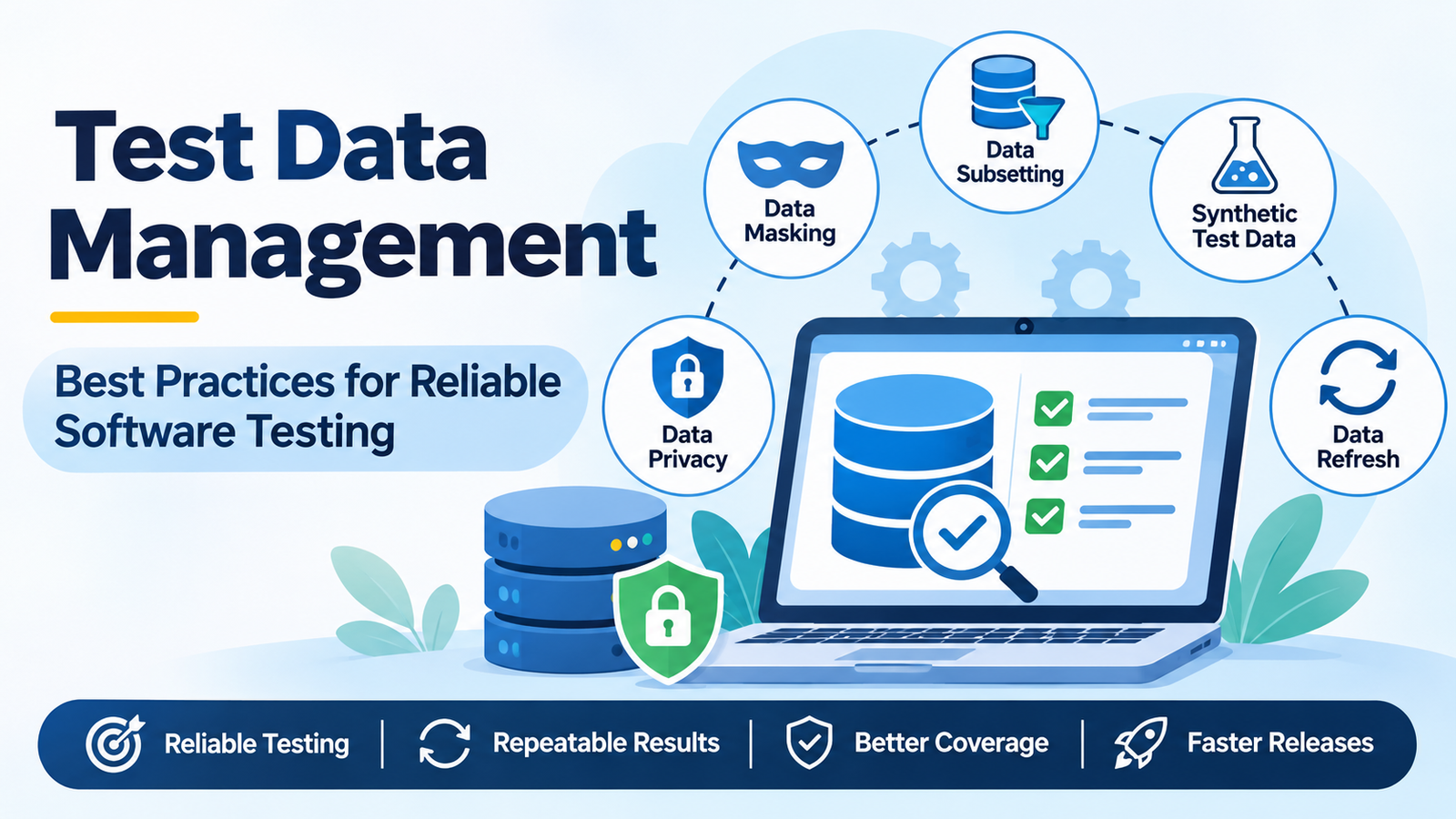
- Data masking, data subsetting, and synthetic data generation are common TDM techniques.
- Never use unmasked production data in testing environments.
- Automated data provisioning and cleanup improve testing efficiency.
- Independent test data helps teams achieve consistent and repeatable results.
What Is Test Data Management?
Test Data Management (TDM) is the process of planning, creating, storing, securing, and maintaining the data required for software testing.
It ensures that testers have the correct data available in the right environment at the right time.
In simple terms, test data management makes sure that every test has the information it needs to produce accurate and consistent results.
It supports different types of software testing, including:
- Functional testing
- Regression testing
- Performance testing
- API testing
- Integration testing
- User Acceptance Testing (UAT)
For example, when testing an online shopping application, testers need customer accounts, product details, shopping carts, payment information, and order records.
Without properly managed data, even a correctly written test case may produce unexpected results.
Why Is Test Data Management Important?
Software testing is only as reliable as the data used during execution. Therefore, managing test data properly is essential for maintaining software quality.
Here are the major benefits.
1. Improves Testing Reliability
When test data is accurate and consistent, testers can identify actual software defects instead of investigating missing or incorrect records.
As a result, teams can trust their testing results.
2. Ensures Repeatable Testing
Repeatable testing means running the same test multiple times and receiving consistent results.
A well-managed data environment allows testers to start every execution from a known state.
3. Increases Test Coverage
Different test scenarios require different types of data.
For example, testers must check expired accounts, zero balances, special characters, empty fields, and maximum input lengths.
Proper data management ensures that these scenarios are available for testing.
4. Reduces Software Release Delays
Testers often waste time creating data manually or fixing incomplete records.
However, automated data provisioning reduces these delays and allows teams to focus on identifying defects.
5. Protects Sensitive Information
Testing environments may not have the same security controls as production environments.
Therefore, using real customer information can create privacy and compliance risks.
Regulations such as GDPR, HIPAA, and India’s Digital Personal Data Protection Act, 2023, make protecting personal information particularly important.
6. Reduces Testing Costs
Finding defects early generally costs less than fixing them after deployment.
Reliable test data helps teams identify problems earlier and avoid unnecessary testing delays.
Common Test Data Management Problems
Many software development teams experience similar test data challenges.
The most common problems include:
- Missing data: Required records are unavailable when tests begin.
- Outdated information: Existing test records no longer match application requirements.
- Data privacy risks: Production databases contain real customer information.
- Shared test accounts: Multiple testers overwrite the same records.
- Duplicate test executions: One-time passwords, coupons, and accounts cannot be reused.
- Test dependencies: Tests rely on records created by previously executed test cases.
- Environment differences: Data in QA and staging environments is inconsistent.
- Limited test coverage: Test data supports normal scenarios but ignores negative and boundary cases.
- Unclear ownership: Nobody is responsible for maintaining or refreshing test data.
Identifying these challenges is the first step towards building a reliable test data strategy.
Types of Test Data in Software Testing
Test data can be classified based on its source and purpose.
Types of Test Data Based on Source
1. Production Data
Production data is copied from a live application or database.
Although it represents real-world scenarios, it should never be used in testing without appropriate masking and security controls.
2. Masked Data
Masked data contains modified sensitive information.
For example, real customer names, email addresses, and phone numbers are replaced with artificial values.
3. Subset Data
Subset data is a smaller portion of a large database.
It contains the necessary records and relationships required for specific testing activities.
4. Synthetic Test Data
Synthetic data is artificially generated using predefined rules, patterns, or specialized tools.
It helps testers create large datasets without exposing actual customer information.
5. Manually Created Seed Data
Seed data consists of predefined records created manually or through scripts.
It is useful for testing specific application scenarios.
Types of Test Data Based on Purpose
Test data can also be categorized according to the scenarios being tested.
- Valid data: Checks whether the application accepts correct inputs.
- Invalid data: Verifies how the application handles incorrect information.
- Boundary data: Tests minimum, maximum, and values just outside permitted limits.
- Null or empty data: Checks how the application handles missing information.
- Large-volume data: Supports performance and load testing.
Using these different data types helps improve overall test coverage.
The Test Data Management Process: Step by Step
A structured Test Data Management Process helps teams maintain consistent and reliable testing environments.
Here are seven important steps.
Step 1: Analyze Data Requirements
Start by reviewing test cases and identifying the data required for each scenario.
Determine the data type, quantity, format, and expected condition.
Step 2: Identify Data Sources
Choose the appropriate source for your testing requirements.
You can use masked production data, synthetic data, manually created records, or existing database subsets.
Step 3: Create or Collect Test Data
Generate or collect the required information using database queries, APIs, scripts, or dedicated TDM tools.
Ensure that the data supports both positive and negative test scenarios.
Step 4: Protect Sensitive Information
Before transferring data into testing environments, identify and protect personal or confidential information.
Use appropriate masking or synthetic data generation techniques.
Step 5: Provision Test Data
Deliver the required data to the correct testing environment.
Automated provisioning helps ensure that testers receive the necessary records without unnecessary manual work.
Step 6: Maintain and Refresh Data
Test data should be regularly updated and restored to a known baseline.
Database snapshots, restore scripts, containers, and automated jobs can help maintain consistency.
Step 7: Retire Unnecessary Data
Remove outdated, duplicate, or unused records.
Regular cleanup reduces storage usage and prevents old records from affecting future test executions.
Key Test Data Management Techniques
Several techniques help organizations manage test data more effectively.
1. Data Masking
Data masking replaces sensitive information with realistic but artificial values.
For example, customer names, phone numbers, email addresses, PAN numbers, Aadhaar numbers, and payment details can be masked.
Common masking methods include:
- Data substitution
- Data shuffling
- Nulling out
- Encryption
- Format-preserving masking
One important consideration is maintaining consistency across related database tables. The same customer should receive the same masked identity wherever that customer appears.
2. Data Subsetting
Large production databases can require significant storage and processing resources.
Data subsetting creates a smaller dataset containing the records and relationships required for testing.
It helps reduce storage requirements, improve performance, and simplify test environment management.
3. Synthetic Test Data Generation
Synthetic test data is generated using predefined rules, algorithms, or specialized software.
Tools such as Faker can generate artificial names, addresses, email addresses, and other test information.
This technique is useful when teams need large datasets or want to test uncommon scenarios.
However, synthetic data may not always represent unusual patterns found in real-world applications. Therefore, teams should periodically compare generated datasets with actual application requirements.
4. Data Virtualization and Cloning
Data virtualization provides testers with lightweight virtual copies of databases.
Instead of copying an entire database for every testing activity, teams can create virtual environments using existing data sources.
This approach reduces storage requirements and helps testers access data faster.
5. Data Refresh and Reset
Test environments should return to a known state after every testing cycle.
Teams can use database snapshots, containers, restoration scripts, and automated jobs to reset test data.
Consequently, every test execution starts with consistent information.
6. Test Data Versioning
Test data scripts and seed files should be stored in version control alongside test automation code.
This makes it easier to track changes, reproduce earlier test scenarios, and maintain consistency between test data and application updates.
Test Data Management Best Practices
Following the right practices helps teams maintain secure, accurate, and reusable test data.
Consider these recommendations:
- Treat test data like code: Store test data scripts in version control and review changes regularly.
- Avoid unmasked production data: Always mask sensitive information or generate synthetic datasets.
- Keep tests independent: Each test should create or access the data it needs without depending on another test.
- Generate unique values: Use timestamps or random identifiers to prevent conflicts during parallel execution.
- Clean up after testing: Remove temporary records or restore the original data state.
- Maintain a known baseline: Use a small, reliable dataset for repeatable testing.
- Cover negative scenarios: Include invalid inputs, missing values, and boundary conditions.
- Separate static and dynamic data: Maintain reference data separately from frequently changing transaction records.
- Assign data ownership: Identify team members responsible for maintaining and documenting datasets.
- Automate data provisioning: Reduce manual preparation through scripts, APIs, and automation tools.
- Maintain environment consistency: Keep QA, staging, and UAT data structures aligned.
- Monitor data quality: Track test failures caused by missing, outdated, or incorrect records.
These practices help reduce data-related failures and improve software testing efficiency.
Test Data Management in Test Automation and CI/CD
Test automation makes test data problems easier to identify.
For example, Selenium and Playwright automation suites can execute hundreds of test cases through CI/CD pipelines. However, shared or inconsistent data can cause failures during execution.
To avoid these problems, teams should follow a few important practices.
Use APIs for Data Setup
Create test records through APIs or database operations instead of manually entering information through the user interface.
This approach is generally faster and more reliable.
Use Test Fixtures
Testing frameworks such as Playwright, Cypress, and pytest support fixtures for preparing data before execution and cleaning it up afterwards.
Implement Data-Driven Testing
Store test inputs separately in JSON, CSV files, or databases.
This allows the same test script to execute against multiple datasets without modifying the test logic.
Support Parallel Test Execution
Ensure that multiple tests do not modify the same records.
Generate unique test accounts and identifiers to prevent conflicts.
Reset Data Through CI/CD Pipelines
Automate environment preparation and data restoration within the CI/CD pipeline.
This ensures that every build starts with a predictable testing environment.
Example:
Consider an automated checkout test for an e-commerce application.
Instead of using a shared account named testuser1, the test should:
- Create a new user through an API.
- Add products to the shopping cart.
- Complete the checkout process.
- Verify the order confirmation.
- Delete or clean up the test records.
This approach allows the test to run repeatedly without depending on previously created records.
Popular Test Data Management Tools
Choosing the right tool depends on your organization’s requirements, budget, database infrastructure, and testing complexity.
Here are some commonly used tools.
| Tool | Common Use |
|---|---|
| Delphix | Data virtualization and masking |
| Informatica Test Data Management | Enterprise data masking and subsetting |
| K2view | Entity-based data provisioning |
| Tonic.ai | Synthetic data generation and de-identification |
| GenRocket | Synthetic test data generation |
| Broadcom Test Data Manager | Enterprise test data generation and masking |
| Faker | Generating artificial test data |
| Mockaroo | Creating realistic sample datasets |
| Testcontainers | Temporary databases for automated testing |
Small development teams can begin with SQL scripts, Faker, and database snapshots.
As testing requirements grow, organizations can consider dedicated enterprise solutions.
How to Measure Test Data Management Success
Measuring performance helps organizations understand whether their data management strategy is effective.
Here are some important metrics to monitor.
1. Data Provisioning Time
Measures how long it takes to prepare and deliver test data to the required environment.
2. Data-Related Test Failures
Tracks the percentage of test failures caused by missing, outdated, or incorrect data.
3. Data Refresh Frequency
Measures how often test environments are restored to their baseline state.
4. Test Scenario Coverage
Identifies how many valid, invalid, and boundary scenarios have appropriate test data.
5. Compliance Incidents
Tracks whether sensitive or unauthorized personal information appears in testing environments.
The goal should be to eliminate unauthorized exposure of real personal information.
Monitoring these metrics helps teams identify weaknesses and improve their testing processes.
Common Test Data Management Mistakes to Avoid
Even experienced testing teams can make mistakes when managing test data.
Avoid these common problems:
- Copying production data into QA without proper masking.
- Allowing multiple testers to share one test account.
- Hard-coding database IDs and usernames that exist only in one environment.
- Ignoring data cleanup after test execution.
- Overlooking differences between QA, staging, and production.
- Depending on data created by previously executed tests.
- Treating test data management as a one-time activity.
Instead, make data management a continuous part of the software testing lifecycle.
Frequently Asked Questions (FAQs)
1. What is test data management in simple words?
Test data management is the process of creating, protecting, organizing, and maintaining the information required for software testing. It helps testers achieve accurate and repeatable results.
2. Why is test data management important?
It improves testing reliability, reduces flaky tests, increases test coverage, protects sensitive information, and helps development teams release software faster.
3. What is data masking in software testing?
Data masking replaces sensitive information, such as customer names, phone numbers, and payment details, with artificial values. It allows testers to work with realistic datasets without exposing actual personal information.
4. What is synthetic test data?
Synthetic test data is artificially generated information created using predefined rules, algorithms, or specialized tools. It helps testers create realistic datasets without using actual customer records.
5. What is the difference between test data and test data management?
Test data refers to the actual information used during software testing. Test data management refers to the complete process of planning, creating, protecting, delivering, and maintaining that information.
6. How can teams make automated tests repeatable?
Teams should start every test from a known data state, generate unique records, avoid dependencies between test cases, and clean up test data after execution.
7. How does test data management reduce flaky tests?
Many flaky tests occur because data changes unexpectedly, becomes unavailable, or is shared between test executions. Isolated and properly maintained datasets help eliminate these problems.
8. Is test data management necessary for small companies?
Yes. Small teams can benefit from basic data management practices such as using synthetic data, maintaining database scripts, creating reusable test records, and resetting databases between test runs.
Conclusion
Reliable software testing starts with reliable test data.
When information is missing, outdated, shared, or insecure, even well-designed test cases can produce unexpected results. However, a structured Test Data Management Process helps teams maintain consistent environments, protect sensitive information, and improve testing accuracy.
Start with a simple approach. Identify one flaky test, understand its data dependencies, and make it create and clean up its own records.
Gradually apply the same approach to other test cases.
Over time, these improvements will help your team build a more reliable, secure, and repeatable software testing process.
