
Introduction
At first glance, CSV file uploads seem like one of the simplest features in a software application. A user selects a file, clicks the upload button, and expects the system to process the data. However, developers who have worked on enterprise applications know that file uploads are far more complex than they appear.
A CSV file is often the entry point for critical business operations. Companies use CSV imports to onboard customers, update inventory, migrate historical data, synchronize information from external systems, and process financial transactions. A single upload may contain thousands or even millions of records, making reliability, performance, and accuracy essential.
What appears to be a straightforward upload process quickly becomes a challenge when real-world requirements are introduced. Invalid data, duplicate records, system failures, concurrent uploads, and performance bottlenecks can all impact the user experience and business operations.
This article explores the architecture and best practices behind building reliable data import pipelines that can scale while maintaining data integrity and operational stability.
The Reality Behind CSV Uploads
Many beginner implementations follow a simple workflow:
- User uploads a CSV file.
- Backend reads the file.
- Records are inserted into the database.
- Success message is displayed.
While this approach may work for small datasets, it quickly breaks down as data volume grows.
Consider a scenario where a user uploads a CSV file containing 100,000 customer records. Processing such a file synchronously can lead to:
- Request timeouts
- Memory exhaustion
- Database lock contention
- Poor user experience
- Partial data imports
Additionally, a single invalid row can cause the entire process to fail if proper validation mechanisms are not implemented.
Building a production-ready import system requires treating file uploads as a complete data processing pipeline rather than a simple form submission.
Designing a Robust Import Architecture
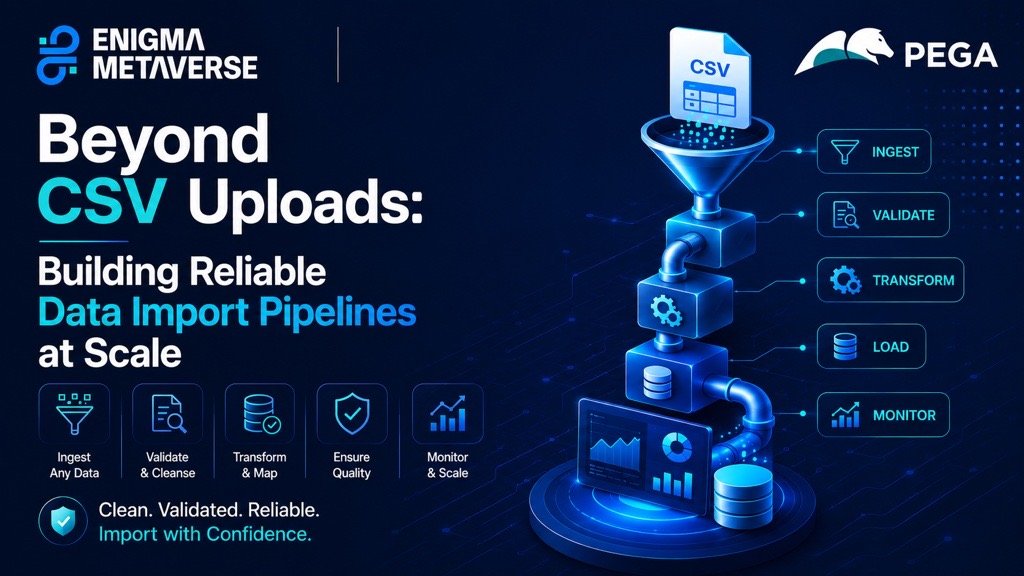
A scalable import pipeline typically consists of several stages:
1. File Reception
The first responsibility is securely receiving the uploaded file.
Important checks include:
- File type validation
- Maximum file size restrictions
- Virus scanning (if applicable)
- User permissions verification
- Storage validation
Instead of immediately processing the file, the application should store it in a secure location and create an import job record.
Example workflow:
User Upload → Storage → Import Job Created → Queue Processing
This approach ensures the upload request completes quickly while heavy processing happens in the background.
2. Queue-Based Processing
One of the most important architectural decisions is moving import operations into background jobs.
Instead of making users wait for processing to complete, the system can:
- Accept the upload
- Create a processing job
- Return an immediate response
- Process records asynchronously
Benefits include:
- Better application responsiveness
- Improved scalability
- Reduced timeout risks
- Easier failure recovery
Queue systems such as Laravel Horizon, RabbitMQ, AWS SQS, and Apache Kafka are commonly used for this purpose.
By leveraging queues, applications can process large imports without impacting normal user activity.
Data Validation Strategies
Validation is often the most critical stage of the pipeline.
Real-world CSV files frequently contain:
- Missing values
- Incorrect formats
- Invalid references
- Duplicate records
- Unexpected characters
For example:
| Name | |
| John Doe | john@example.com |
| Jane Doe | invalid-email |
| Empty | empty@example.com |
Without validation, bad data enters the system and creates long-term maintenance issues.
Multi-Level Validation
A robust pipeline should perform validation at multiple levels:
File-Level Validation
Checks include:
- Required columns
- Correct file structure
- Header validation
Row-Level Validation
Checks include:
- Required fields
- Data formats
- Length restrictions
Business Rule Validation
Checks include:
- Unique email addresses
- Valid customer references
- Existing product identifiers
Separating these validation layers improves maintainability and provides clearer feedback to users.
Handling Errors Without Stopping the Import
One common mistake is aborting the entire import when a single row fails validation.
Imagine processing 10,000 records where only 20 contain errors.
Rejecting all records creates frustration for users.
A better approach is:
- Process valid records
- Skip invalid rows
- Generate an error report
- Allow users to correct and re-upload failed entries
Example error report:
| Row | Error |
| 125 | Invalid email format |
| 378 | Duplicate customer ID |
| 901 | Missing required field |
This strategy dramatically improves usability while maintaining data quality.
Preventing Duplicate Data
Duplicate records are among the most common challenges in import systems.
Users may accidentally:
- Upload the same file twice
- Upload overlapping datasets
- Retry imports after partial failures
Without safeguards, duplicates can corrupt business data.
Recommended Approaches
Database Constraints
Use unique indexes whenever possible.
Examples:
- Email address
- Employee ID
- Product SKU
File Fingerprinting
Generate a hash of the uploaded file.
If the same file has already been processed:
- Warn the user
- Prevent accidental reprocessing
Record-Level Deduplication
Compare incoming records against existing database entries before insertion.
These techniques help maintain data integrity even during repeated uploads.
Monitoring Import Progress
Large imports may take several minutes or even hours.
Users should never be left wondering whether the system is still working.
A progress tracking system improves transparency.
Useful metrics include:
- Total records
- Processed records
- Successful records
- Failed records
- Remaining records
Example:
Import Status:
- Total Records: 50,000
- Processed: 35,000
- Success: 34,500
- Failed: 500
Modern applications often provide real-time progress updates using WebSockets or polling mechanisms.
This significantly improves user confidence during long-running operations.
The Role of Logging
Logs are essential for troubleshooting and auditing import operations.
Without proper logging, diagnosing failures becomes extremely difficult.
Important events to log:
- Upload started
- Validation completed
- Processing started
- Row failures
- Job completion
- System exceptions
Example:
Import Job: #4567
User: admin@example.com
File: customers.csv
Records: 25,000
Success: 24,800
Failed: 200
Duration: 4m 35s
Structured logging provides valuable insights into system performance and operational health.
Performance Optimization Techniques
As file sizes increase, performance becomes a major concern.
Batch Processing
Instead of inserting one record at a time:
Bad:
- 100,000 database queries
Better:
- 100 batches of 1,000 records
Batch operations significantly reduce database overhead.
Chunked Reading
Loading an entire CSV into memory is risky.
Instead:
- Read data in chunks
- Process incrementally
- Release memory between batches
This allows the application to handle extremely large files efficiently.
Parallel Processing
For very large datasets, multiple workers can process separate chunks simultaneously.
Benefits:
- Faster processing
- Better resource utilization
- Improved scalability
Security Considerations
Import pipelines often process sensitive business data.
Security should never be an afterthought.
Best practices include:
- File type restrictions
- Input sanitization
- Access control
- Encryption at rest
- Audit logging
Organizations should also maintain clear records of:
- Who uploaded files
- When uploads occurred
- What changes were made
These controls support compliance and improve accountability.
Building for Failure
No system is immune to failures.
Servers crash.
Databases become unavailable.
Network interruptions occur.
Reliable import pipelines are designed with recovery mechanisms.
Examples include:
- Automatic retries
- Checkpointing
- Transaction management
- Dead-letter queues
Instead of restarting from the beginning, the system should resume processing from the last successful checkpoint whenever possible.
This approach minimizes downtime and prevents unnecessary rework.
Lessons Learned from Real-World Projects
Teams often discover that import pipelines become mission-critical infrastructure.
Some key lessons include:
- Never process large files synchronously.
- Validate aggressively before database insertion.
- Design for partial failures.
- Implement detailed logging from day one.
- Provide clear feedback to users.
- Expect duplicate uploads.
- Optimize for maintainability, not just speed.
The most successful systems focus not only on processing data but also on providing reliability, transparency, and recoverability.
Conclusion
CSV uploads may appear simple, but production-grade import systems require careful architectural planning. What starts as a file upload feature quickly evolves into a sophisticated data processing pipeline involving validation, queuing, monitoring, logging, security, and failure recovery.
Organizations depend on these systems to move critical business data accurately and efficiently. By treating data imports as a first-class engineering problem rather than a simple utility feature, development teams can build solutions that scale with business growth while maintaining reliability and user trust.
The next time someone says, “It’s just a CSV upload,” remember that behind every successful import lies a carefully designed pipeline working to ensure data reaches the right destination safely, efficiently, and reliably.
