
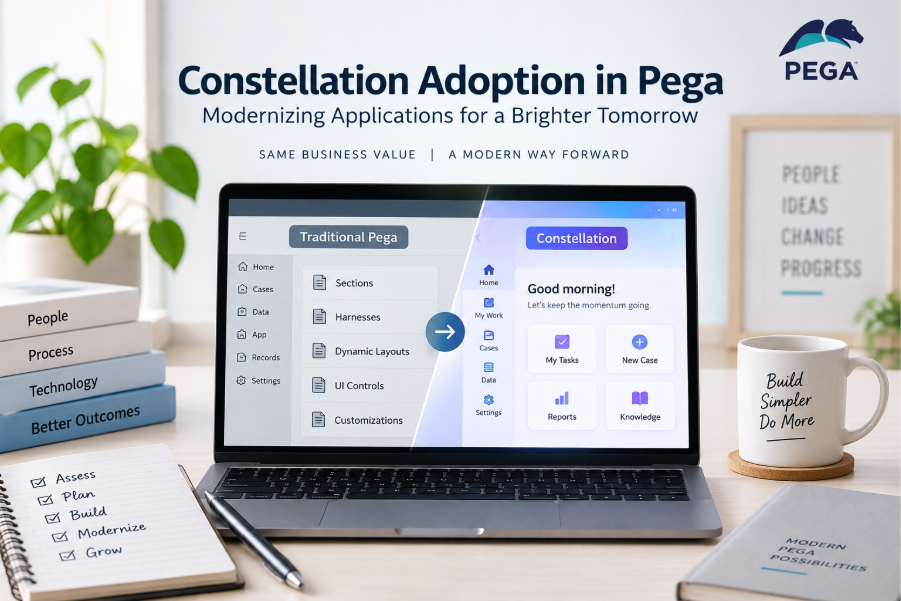
Pega applications are increasingly moving toward Constellation, Pega’s modern application architecture and user experience model. For teams working on existing Pega applications, this raises an important question: What does Constellation adoption actually involve, and when should an organization consider it?
Constellation adoption is not simply about changing the look of an application. It involves understanding the application’s current architecture, identifying where Constellation fits, and gradually adapting development practices to work with the newer architecture.
What Is Constellation in Pega?
Constellation is Pega’s modern architecture for building case management applications. It provides a modern, standardized user experience and changes how application developers design and configure applications compared with traditional Pega UI development.
In traditional Pega applications, developers commonly work with UI artifacts such as:
- Sections
- Harnesses
- Dynamic layouts
- UI controls
- Skin rules
- Navigation rules
With Constellation, the approach is more configuration-driven and component-based. Developers work with modern view and component concepts rather than building every part of the interface through traditional UI rules.
The goal is to make applications easier to build, maintain, and provide with a consistent user experience.
Why Are Organizations Considering Constellation Adoption?
One of the biggest reasons is the need to modernize existing Pega applications.
Traditional applications may have accumulated years of:
- Custom UI rules
- Legacy sections
- Complex layouts
- Custom JavaScript
- Application-specific styling
- Older UI patterns
Maintaining these customizations can become increasingly difficult.
Constellation provides a more standardized approach, which can reduce the amount of custom UI development required for new applications.
However, adoption should not be viewed as simply replacing one UI technology with another.
The bigger change is the development approach.
Traditional Pega UI vs Constellation
| Area | Traditional Pega | Constellation |
| UI approach | Rule-based UI configuration | Component/configuration-driven |
| Sections | Commonly used | Not the primary UI building approach |
| Harnesses | Commonly used | Modern view architecture |
| Custom UI | Can be extensive | More standardized |
| Development | More developer-controlled | More configuration-driven |
| User experience | Can vary by application | More consistent |
| Modernization | Legacy applications | Modern application architecture |
The exact capabilities available depend on the Pega version and application architecture, so teams should always evaluate the target version before planning a migration.
Constellation Adoption Does Not Always Mean Migration
This is an important distinction.
There are two different situations:
Building a New Application
If an organization is starting a new Pega application, it can evaluate Constellation from the beginning and design the application around the modern architecture.
This avoids creating a new application using older UI patterns only to modernize it later.
Existing Application
For an existing traditional Pega application, adoption can be more complicated.
The application may contain hundreds or thousands of existing rules, integrations, case types, sections, and customizations.
Therefore, organizations need to determine:
- What can remain as it is?
- What should be modernized?
- Which functionality needs redesign?
- Which custom UI elements need replacement?
- What business functionality must remain unchanged?
This makes Constellation adoption more of a modernization strategy than a simple technical upgrade.
What Changes for a Pega Developer?
Constellation changes the way developers approach UI development.
In a traditional application, a developer might receive a requirement such as:
“Create a screen with these fields, buttons, layouts, and sections.”
The developer may then create or modify several UI rules.
With Constellation, the developer focuses more on:
- Data and case structure
- Views
- Fields
- Components
- Visibility and behavior
- Validation
- Actions
- Reusable configuration
- Standard user experience patterns
This encourages developers to think about the business requirement first and the UI implementation second.
The Role of Constellation Views
Views are an important part of the Constellation experience.
Instead of thinking primarily in terms of traditional sections and harnesses, developers work with views that represent the information and interactions users need.
For example, consider a Vehicle Insurance Application.
A traditional application might contain:
Harness
Section
Dynamic Layout
Text Field
Dropdown
Date Field
Button
In a Constellation-based application, the developer focuses more on configuring the appropriate view and its components around the case data and user interaction.
This creates a cleaner separation between business data, case behavior, and presentation.
Benefits of Constellation Adoption
1. Modern User Experience
Constellation provides a modern and consistent user experience across applications.
This is particularly useful for organizations maintaining multiple Pega applications where each application has historically developed its own UI patterns.
2. Reduced Customization
A standardized component approach can reduce unnecessary custom UI development.
Less custom code can also make applications easier to maintain.
3. Faster Application Development
Because developers can use standardized components and configuration patterns, common application requirements can be implemented without creating everything from scratch.
4. Better Consistency
Users working across multiple applications can benefit from familiar interaction patterns and consistent UI behavior.
5. Easier Modernization Strategy
For organizations planning long-term modernization, Constellation provides a path toward building applications using Pega’s newer architecture.
Challenges in Constellation Adoption
Adoption also comes with challenges.
Existing Customizations
Older applications may depend heavily on custom UI rules, JavaScript, CSS, or specialized components.
These may require redesign rather than direct conversion.
Developer Learning Curve
Developers familiar with traditional Pega UI development need to understand the new architecture and development approach.
Application Assessment
Before adopting Constellation, teams need to understand their existing application.
For example:
- Number of case types
- Existing UI rules
- Custom components
- Integrations
- Data model
- Business rules
- External dependencies
Business Continuity
An organization cannot simply redesign an application without considering existing users and business processes.
The modernization plan should ensure that business-critical functionality continues to work during the transition.
A Practical Constellation Adoption Approach
A sensible adoption strategy can start with assessment rather than immediate migration.
Step 1: Understand the Existing Application
Identify the application’s:
- Case types
- Data objects
- UI rules
- Integrations
- Customizations
- Business rules
Step 2: Identify Modernization Candidates
Not every part of an application needs to be treated equally.
Identify functionality that is:
- Frequently used
- Difficult to maintain
- Highly customized
- Suitable for standard Constellation components
Step 3: Evaluate Compatibility
Determine whether the required functionality is supported by the target Constellation architecture.
If a requirement depends on heavy customization, additional redesign may be required.
Step 4: Start With a Controlled Scope
Instead of attempting to change an entire enterprise application at once, organizations can begin with a suitable application, case type, or new development initiative.
This provides an opportunity for the team to learn before expanding adoption.
Step 5: Train the Development Team
Developers should understand:
- Constellation architecture
- Views
- Components
- Data modeling
- Case configuration
- Constellation development practices
- Limitations and supported customization approaches
Step 6: Measure the Results
After implementation, teams can evaluate:
- Development effort
- User experience
- Maintainability
- Performance
- Customization requirements
- Developer productivity
These results can help determine whether broader adoption makes sense.
Constellation and Existing Pega Applications
One common misconception is:
“If an application is already built in traditional Pega, everything must immediately be converted to Constellation.”
That is not necessarily the right approach.
A modernization decision should consider the application’s business value, technical complexity, current maintenance requirements, and future roadmap.
For some applications, continuing to maintain existing functionality may be appropriate while new development follows the modern architecture.
For others, modernization may provide greater long-term value.
The important point is to make the decision based on the application’s requirements rather than treating Constellation adoption as a simple UI replacement.
A Real-World Example
Consider an insurance company with an existing Pega application.
The application contains:
- Customer registration
- Policy creation
- Proposal processing
- Policy servicing
- Claims
- Customer communication
The application has been developed over several years and contains many traditional UI rules.
Instead of immediately rebuilding everything, the organization could first assess the application.
For example, a new Customer Registration experience could be developed using Constellation.
The team can then evaluate:
- How much customization was required?
- How quickly was the application developed?
- How did users respond?
- Were existing integrations reusable?
- What traditional UI functionality needed redesign?
The results can then inform the organization’s broader modernization strategy.
What Developers Should Learn
For developers moving from traditional Pega development to Constellation, it is useful to focus on the architecture and development mindset, not just individual UI components.
Important areas include:
- Constellation architecture
- Case types
- Views
- Data objects
- Fields
- Components
- Actions
- Validation
- Case lifecycle
- Data Pages
- Integrations
- Application configuration
- Supported extension mechanisms
A developer who understands why Constellation works differently will generally adapt more effectively than someone who only memorizes the new UI components.
Final Thoughts
Constellation adoption is a modernization journey, not simply a UI redesign.
For new Pega applications, organizations can consider Constellation from the beginning. For existing applications, the decision requires a careful assessment of the current architecture, customizations, business requirements, and modernization goals.
The key is to adopt Constellation where it provides a practical benefit while maintaining the stability of existing business-critical applications.
As Pega continues to evolve its application development architecture, understanding Constellation is becoming an important skill for developers working on modern Pega implementations.
