
Introduction
For decades, passwords have been the primary method of securing online accounts. From email and banking to social media and workplace applications, nearly every digital service has relied on usernames and passwords for authentication. However, as cyber threats continue to evolve, passwords have become one of the weakest links in cybersecurity.
Weak passwords, password reuse, phishing attacks, and large-scale data breaches have exposed millions of user credentials, costing businesses billions of dollars every year. Managing complex passwords has also become frustrating for users, often leading to poor security practices.
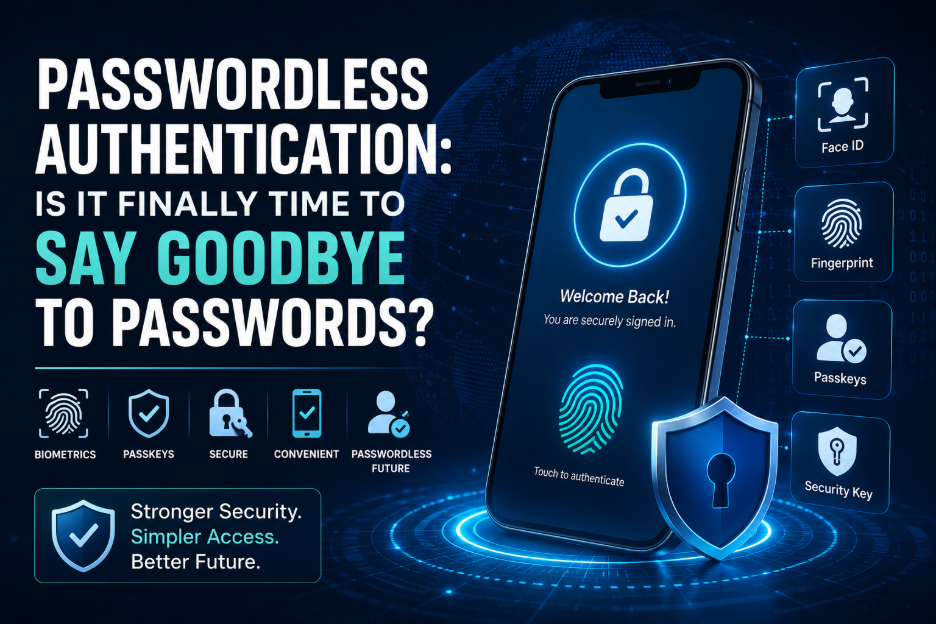
To solve these challenges, the technology industry is moving toward passwordless authentication—a modern approach that eliminates traditional passwords and replaces them with more secure authentication methods such as passkeys, biometrics, and hardware security keys.
Major technology companies including Apple, Google, and Microsoft have embraced passwordless authentication, signaling a significant shift toward a safer and more convenient digital future.
This article explores what passwordless authentication is, how it works, its benefits, challenges, and why it is becoming the next standard for digital security.
What Is Passwordless Authentication?
Passwordless authentication is a method of verifying a user’s identity without requiring a traditional password.
Instead of remembering a password, users authenticate themselves using one or more secure methods, such as:
- Biometrics (fingerprint or facial recognition)
- Passkeys
- Hardware security keys
- Magic links
- One-Time Passwords (OTP)
- Mobile authentication apps
These methods rely on cryptographic technology and device-based verification, making them significantly more resistant to phishing and credential theft.
Why Traditional Passwords Are Failing
Passwords have protected online accounts for decades, but they introduce several security and usability challenges.
Weak Passwords
Many users still choose passwords that are easy to guess, such as:
- 123456
- password
- qwerty
- birth dates
- pet names
Attackers can crack these passwords within seconds.
Password Reuse
People often use the same password across multiple websites.
If one service is compromised, attackers can use the stolen credentials to access other accounts—a tactic known as credential stuffing.
Phishing Attacks
Cybercriminals frequently create fake websites and emails designed to trick users into entering their passwords.
Once stolen, these credentials can be used to access sensitive accounts.
Data Breaches
Organizations regularly experience breaches that expose millions of usernames and passwords.
Even if your own password is strong, it may still be leaked if the service storing it is compromised.
Password Fatigue
The average internet user manages dozens—sometimes hundreds—of online accounts.
Remembering unique, complex passwords for each account is difficult, leading many users to choose convenience over security.
What Is a Passkey?
A passkey is a modern, passwordless authentication method based on public-key cryptography.
Instead of storing a password on a server, a passkey consists of two cryptographic keys:
- A public key stored by the website or application.
- A private key securely stored on the user’s device.
When logging in:
- The website sends a challenge.
- The user’s device signs it with the private key.
- The server verifies the signature using the public key.
The private key never leaves the device, making passkeys highly resistant to phishing and credential theft.
Types of Passwordless Authentication
1. Biometrics
Biometric authentication verifies identity using unique physical characteristics.
Examples include:
- Fingerprint recognition
- Face recognition
- Iris scanning
- Voice recognition
Because biometric data is unique to each individual, it provides a secure and user-friendly login experience.
2. Passkeys
Passkeys eliminate passwords entirely by using cryptographic key pairs.
Advantages include:
- Resistant to phishing
- No password to remember
- Easy login across devices
- Faster authentication
Passkeys are increasingly supported by modern operating systems and browsers.
3. Hardware Security Keys
Physical security keys connect via:
- USB
- NFC
- Bluetooth
Users simply insert or tap the device to verify their identity.
These keys are widely used by enterprises and security-conscious individuals.
4. Magic Links
Instead of entering a password, users receive a secure login link through email.
Clicking the link authenticates the session.
This approach is commonly used by SaaS platforms and customer portals.
5. One-Time Passwords (OTP)
OTP authentication sends a temporary code via:
- Authentication apps
- SMS
Since each code expires quickly, it reduces the risk of credential reuse.
Benefits of Passwordless Authentication
Stronger Security
Without passwords, attackers cannot steal or guess credentials through phishing or brute-force attacks.
Better User Experience
Users no longer need to remember dozens of passwords.
Authentication becomes faster and more convenient.
Reduced Phishing Risk
Passkeys and hardware security keys authenticate users directly with trusted websites, making fake login pages ineffective.
Lower IT Support Costs
Password reset requests account for a significant portion of help desk tickets.
Passwordless authentication dramatically reduces these support costs.
Faster Login Process
Users can log in with:
- A fingerprint
- Face recognition
- Device approval
- Security key
The process often takes just a few seconds.
Challenges of Passwordless Authentication
Although passwordless technology offers many advantages, adoption still presents some challenges.
Legacy Systems
Older applications may require traditional passwords and cannot easily support passkeys or biometric authentication.
Device Compatibility
Some authentication methods require modern smartphones, laptops, or browsers.
Organizations may need hardware upgrades before deployment.
Account Recovery
Recovering access after losing a trusted device can be more complex than simply resetting a password.
Organizations need secure recovery procedures.
User Education
Employees and customers may be unfamiliar with passkeys and other passwordless methods.
Training helps ensure a smooth transition.
How Businesses Can Implement Passwordless Authentication
Organizations can gradually transition to passwordless security by following these steps:
Enable Passkeys
Support passkey-based logins for employees and customers wherever possible.
Adopt FIDO2 and WebAuthn
These industry standards enable secure, interoperable passwordless authentication across devices and platforms.
Use Identity and Access Management (IAM)
Implement centralized identity management to enforce consistent authentication policies and monitor access.
Require Multi-Factor Authentication
For systems that still require passwords, combine them with MFA to strengthen security during the transition.
Educate Users
Provide clear guidance on using passkeys, biometric authentication, and security keys to improve adoption and reduce confusion.
Passwordless Authentication vs Traditional Passwords
| Feature | Traditional Passwords | Passwordless Authentication |
| Phishing Resistance | Low | High |
| User Convenience | Moderate | Excellent |
| Password Reuse Risk | High | None |
| Brute Force Attacks | Possible | Not Applicable |
| Password Resets | Frequent | Rare |
| Login Speed | Moderate | Fast |
| Security | Good (if managed well) | Excellent |
The Future of Passwordless Security
Passwordless authentication is expected to become the default authentication method across consumer and enterprise applications.
Key trends include:
- Wider adoption of passkeys
- Password-free enterprise environments
- AI-driven identity verification
- Behavioral authentication
- Continuous authentication
- Expansion of passwordless support across IoT devices
As these technologies mature, passwords will likely become the exception rather than the rule.
Best Practices for Organizations
To maximize the benefits of passwordless authentication, organizations should:
- Enable passkeys for supported applications.
- Use hardware security keys for high-risk accounts.
- Keep devices and operating systems updated.
- Implement strong Identity and Access Management (IAM).
- Maintain secure account recovery processes.
- Train employees on passwordless login methods.
- Continuously monitor authentication activity for suspicious behavior.
Conclusion
Passwords have served as the foundation of digital security for decades, but they are increasingly vulnerable to phishing, credential theft, and human error. As cyber threats become more advanced, relying solely on traditional passwords is no longer sufficient to protect sensitive accounts and data.
Passwordless authentication offers a more secure and user-friendly alternative by replacing passwords with technologies such as passkeys, biometrics, hardware security keys, and cryptographic authentication. These methods not only reduce the risk of common attacks but also simplify the login experience for users.
While the transition will take time, the momentum is clear. As more platforms adopt passwordless technologies and standards like FIDO2 and WebAuthn become commonplace, organizations and individuals alike can look forward to a future where secure access no longer depends on remembering complex passwords. The shift has already begun—and for many, it is finally time to say goodbye to passwords.
