
Introduction
Application deployment is an important part of Pega development. Developers create and test application changes in a development environment, and these changes are eventually moved to higher environments such as QA, UAT, and Production.
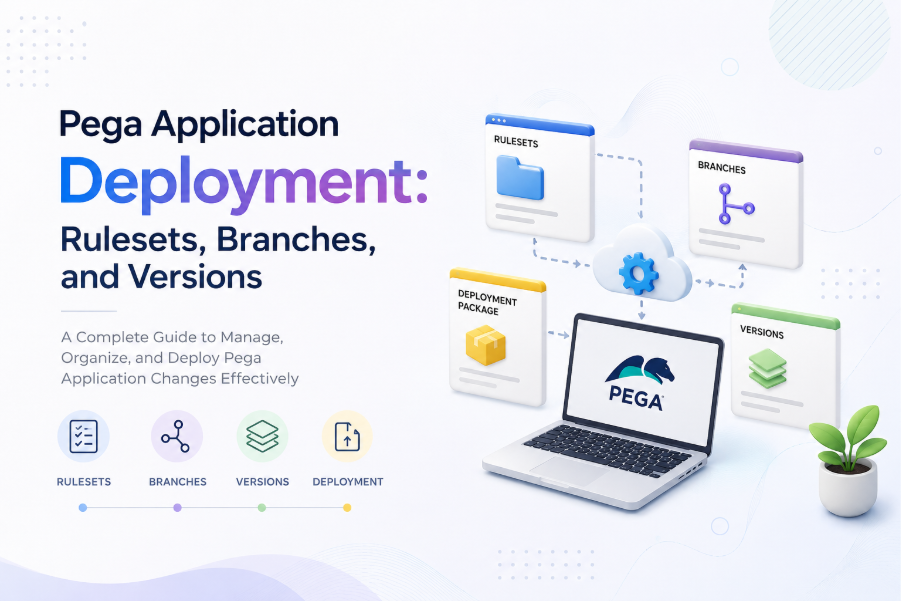
To manage application changes effectively, Pega provides concepts such as Rulesets, Ruleset Versions, Branches, and Deployment Packages.
Understanding these concepts helps developers avoid common deployment problems such as missing rules, incorrect versions, conflicts, and unintended changes.
1. What Is a Ruleset?
A Ruleset is a logical collection of Pega rules that belong to a particular application or functionality.
For example, an application might contain Rulesets such as:
CustomerService
PaymentProcessing
CustomerPortal
A Ruleset can contain different types of rules, including:
- Case Types
- Data Transforms
- Activities
- When Rules
- Decision Tables
- Report Definitions
- Sections
- Views
- Other application rules
Rulesets provide a way to organize and manage application rules.
2. What Is a Ruleset Version?
A Ruleset Version identifies a specific version of a Ruleset.
For example:
CustomerService:01-01-01
CustomerService:01-01-02
CustomerService:01-02-01
Ruleset versions allow developers to manage changes to application rules over time.
For example, CustomerService:01-01-01 might contain the initial implementation, while CustomerService:01-01-02 contains additional changes.
3. Why Are Ruleset Versions Important?
Ruleset versions help Pega determine which version of a rule should be used.
The application has a Ruleset Stack that determines the order in which Pega searches for rules.
When multiple versions of a rule exist, Pega uses the ruleset hierarchy and version information to determine the appropriate rule.
This becomes particularly important during deployment because the required Ruleset Versions must be available in the target environment.
4. What Is a Branch?
A Branch provides an isolated development area where developers can work on changes without directly affecting the main application rules.
For example, a developer may be asked to develop a new customer verification feature.
Instead of making all changes directly to the main Ruleset, the developer can create a Branch and perform the development work there.
Branches are particularly useful when multiple developers are working on the same application.
5. Why Are Branches Useful?
Branches help developers work on different requirements independently.
For example:
- Developer A is working on customer registration.
- Developer B is working on payment processing.
- Developer C is working on a defect fix.
Each developer can work on their changes separately.
This reduces the possibility of developers interfering with each other’s work.
6. Branch Development
A typical branch development process includes:
- Creating a Branch
- Developing the required changes
- Testing the changes
- Reviewing the changes
- Merging the changes
After the development and testing are completed, the Branch changes can be merged into the appropriate application Ruleset.
7. What Happens During Branch Merge?
When a Branch is merged, its changes are incorporated into the target Ruleset.
Conflicts can occur if another developer has modified the same rule.
For example, Developer A changes a rule called CustomerValidation, while Developer B also changes the same rule.
When the changes are merged, a conflict may need to be resolved.
Developers should review such conflicts carefully instead of blindly accepting one version.
8. Rulesets vs Branches
Rulesets and Branches have different purposes.
| Ruleset | Branch |
| Organizes application rules | Provides an isolated development area |
| Supports rule versioning | Supports parallel development |
| Contains application rules | Contains development changes |
| Important for application deployment | Important for development and collaboration |
| Can be included in deployment packages | Usually merged before final deployment |
The easiest way to remember the difference is:
Rulesets organize and version application rules, while Branches isolate development work.
9. What Is a Deployment Package?
After development and testing are completed, application changes need to be moved to another environment.
A Deployment Package contains the required application changes and rules that need to be moved to the target environment.
For example, changes may be promoted between:
- Development
- QA
- UAT
- Production
The exact deployment process depends on the Pega version and the organization’s deployment and DevOps practices.
10. Real-World Example
Consider an application called Customer Management Application.
A new requirement is introduced to prevent customers from registering with an invalid mobile number.
A developer creates the required rules in a development Branch.
The developer may create or modify:
- Data Transform
- Validation Rule
- When Rule
- View
- Case processing logic
The changes are tested in the development environment.
After successful testing, the Branch changes are reviewed and merged.
The resulting application changes are then prepared for deployment to the next environment.
The changes can subsequently move through the organization’s deployment process toward Production.
11. Why Should Developers Avoid Direct Production Changes?
Production is the live environment used by actual users and business processes.
Directly modifying Production rules can cause problems such as:
- Unexpected application behavior
- Incorrect rule versions
- Difficult troubleshooting
- Missing dependent rules
- Untracked changes
- Deployment conflicts
- Production issues
Therefore, application changes should normally follow the organization’s controlled development and deployment process.
12. Common Deployment Problems
Missing Rules
A developer may deploy one rule but forget a dependent rule.
For example, an Activity may reference a Data Transform that was not included in the deployment.
The application may then fail when the Activity is executed.
Incorrect Ruleset Version
The target environment may not have the expected Ruleset Version.
For example, the development environment may contain:
CustomerService:01-02-03
while the target environment contains only:
CustomerService:01-02-02
This can result in unexpected rule resolution or missing functionality.
Branch Conflicts
Two developers may modify the same rule.
When their Branches are merged, conflicts can occur.
These conflicts should be reviewed and resolved carefully.
Dependency Issues
A rule may depend on other rules.
For example, a Case Type may depend on:
- Data Transforms
- Data Pages
- Integrations
- Decision Tables
- Validation Rules
If only some of the required changes are deployed, the application may not behave correctly.
13. Best Practices
Keep Changes Small
Avoid putting unrelated changes into the same Branch or deployment package.
Smaller changes are easier to review, test, troubleshoot, and deploy.
Follow Naming Standards
Use consistent naming standards for Branches, Rulesets, and other application components.
This makes it easier for developers and administrators to understand the purpose of a change.
Test Before Deployment
Always test application changes before moving them to higher environments.
Check Dependencies
Before deployment, identify the rules and components that depend on the changed functionality.
Review Branch Changes
Before merging a Branch, review the changes to make sure only the intended functionality is included.
Avoid Unnecessary Changes
Do not include unrelated changes in the same deployment package.
Keeping deployments focused makes troubleshooting much easier.
14. Ruleset, Ruleset Version, Branch, and Deployment Package
| Concept | Purpose |
| Ruleset | Groups related application rules |
| Ruleset Version | Identifies a particular version of a Ruleset |
| Branch | Isolates development work |
| Deployment Package | Packages application changes for deployment |
Each concept solves a different problem in the Pega development and deployment process.
15. Interview Questions
- What is a Ruleset in Pega?
- What is a Ruleset Version?
- Why do we need Ruleset Versions?
- What is a Branch?
- Why are Branches used?
- What happens when two developers modify the same rule?
- What is Branch merging?
- What is a Deployment Package?
- How are Pega changes moved between environments?
- What happens if a dependent rule is missing during deployment?
- What is a Ruleset Stack?
- How does Pega determine which rule version to execute?
- What is the difference between a Ruleset and a Branch?
- Why should Production changes be controlled?
- What are common causes of deployment failures?
Conclusion
Pega application deployment is not simply about moving rules from one environment to another. It involves managing application rules, versions, development Branches, dependencies, and deployment packages in a controlled manner.
Rulesets help organize application rules, Ruleset Versions help manage changes over time, and Branches provide isolation for parallel development.
A proper understanding of these concepts helps Pega developers work effectively in team-based projects and reduces common problems related to deployment, version management, dependencies, and conflicts.
