
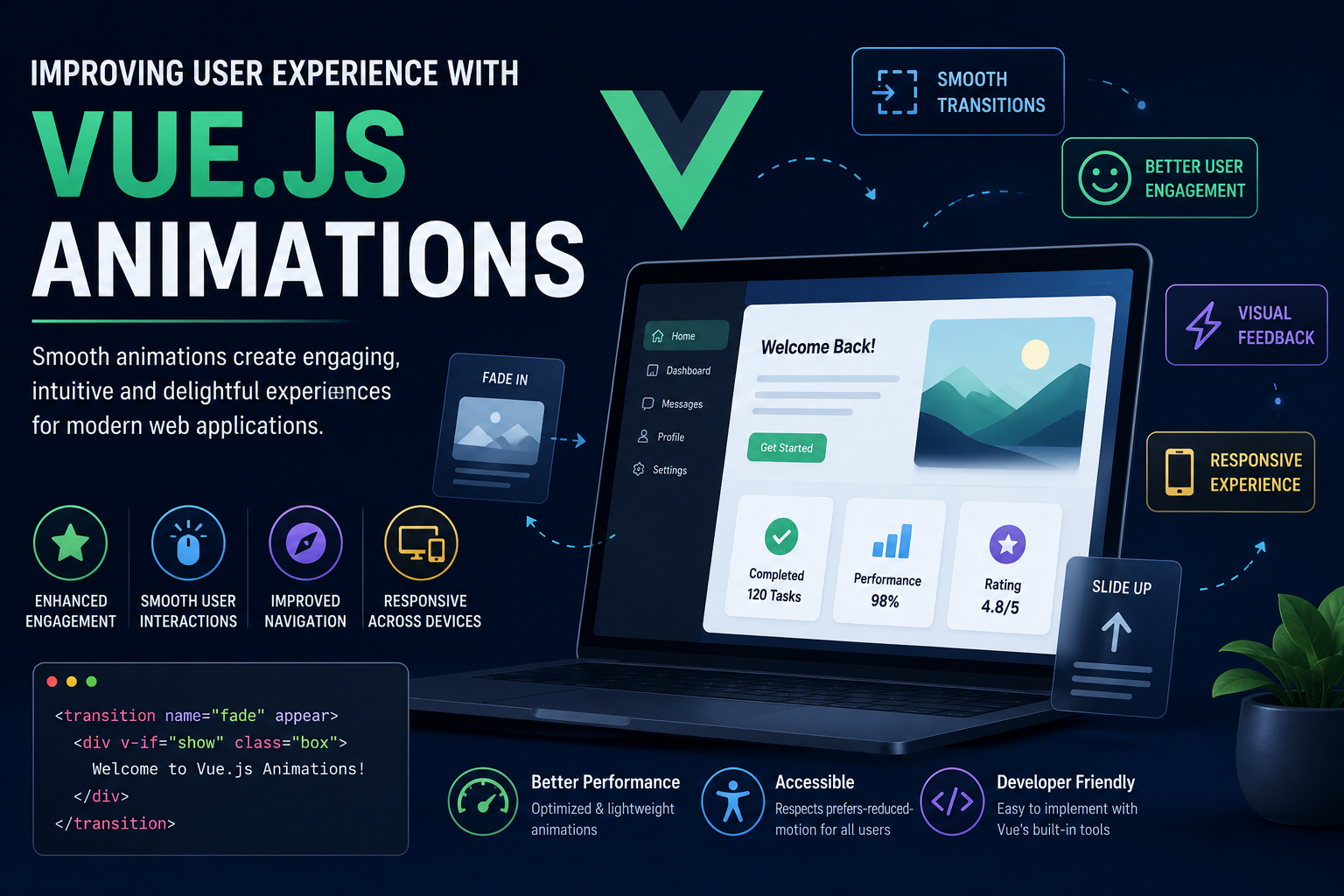
In today’s digital world, users expect web applications to be more than just functional—they expect them to be visually appealing, responsive, and engaging. A modern application should provide smooth interactions that make navigation feel natural and enjoyable. One of the most effective ways to achieve this is through animations. Well-designed animations guide users, provide visual feedback, and create seamless transitions between different parts of an application.
Vue.js offers powerful animation capabilities that enable developers to build interactive and engaging user interfaces with minimal effort. Through built-in transition components and integration with CSS and JavaScript animations, Vue.js allows developers to create smooth visual effects without adding unnecessary complexity to their applications.
Many developers initially think animations are purely decorative. However, experienced frontend developers understand that animations play an important role in improving usability, reducing user confusion, and creating intuitive interfaces. When implemented correctly, animations become an essential part of delivering an outstanding user experience.
Understanding Vue.js Animations
Vue.js animations refer to the visual effects applied when elements or components enter, leave, or change within an application. Instead of displaying content abruptly, animations create smooth transitions that make interactions feel more natural.
Vue.js provides built-in components such as Transition and TransitionGroup, making it easy to animate individual elements or lists. Developers can combine these components with CSS transitions, CSS animations, or JavaScript animation libraries to create dynamic user interfaces.
Animations can be applied to various user interactions, including opening menus, displaying notifications, switching pages, showing modal windows, and updating content dynamically.
Creating Smooth User Interactions
One of the biggest advantages of Vue.js animations is their ability to make user interactions feel smooth and responsive. Instant changes without visual feedback can make an application appear abrupt or confusing.
Animations help users understand what is happening on the screen. For example, when a dropdown menu expands gradually or a dialog box fades into view, users can easily follow the interaction without feeling disoriented.
These subtle visual effects improve the overall flow of the application and make navigation more intuitive.
Providing Visual Feedback
Animations serve as an effective communication tool between the application and the user. Whenever users perform an action such as clicking a button, submitting a form, or deleting an item, animations provide immediate feedback that the action has been recognized.
For example, buttons can slightly scale when clicked, loading indicators can appear while data is being fetched, and success messages can smoothly fade into view after completing an operation.
This immediate visual confirmation increases user confidence and reduces uncertainty during interactions.
Enhancing Navigation Experience
Modern applications often contain multiple pages, components, and dynamic content. Without smooth transitions, moving between different sections can feel abrupt and disconnected.
Vue.js animations allow developers to create page transitions, route animations, and component transitions that make navigation feel continuous and natural.
Instead of instantly replacing one page with another, developers can use fade, slide, or zoom effects that guide users through the navigation process. These transitions improve orientation and help users understand changes within the application.
Improving User Engagement
An engaging interface encourages users to spend more time interacting with an application. Carefully designed animations capture attention without distracting users from their primary tasks.
Interactive hover effects, animated cards, smooth scrolling, and subtle loading animations create a more enjoyable browsing experience. These enhancements make applications appear modern and professionally designed.
When animations are used thoughtfully, they increase user satisfaction and contribute to a positive perception of the application.
Supporting Responsive Design
Responsive web applications must adapt smoothly across different screen sizes and devices. Vue.js animations work well alongside responsive layouts, ensuring that transitions remain smooth on desktops, tablets, and smartphones.
Developers can adjust animation timing, duration, and effects based on device performance, providing a consistent experience regardless of the platform being used.
Responsive animations contribute to a polished interface while maintaining excellent usability across all devices.
Common Animation Techniques in Vue.js
Vue.js supports a wide variety of animation techniques that help developers build engaging applications.
Some commonly used animation techniques include:
- Fade-in and fade-out transitions.
- Slide animations for menus and panels.
- Scale and zoom effects.
- Page transition animations.
- List animations using TransitionGroup.
- Loading spinners and progress indicators.
- Hover animations for buttons and cards.
- Modal opening and closing effects.
- Notification and alert animations.
- Smooth component transitions.
These techniques improve both the visual appeal and usability of web applications.
Better Application Performance
Although animations enhance user experience, they should be implemented efficiently to avoid performance issues. Vue.js optimizes animations by working efficiently with the Virtual DOM and allowing developers to use hardware-accelerated CSS properties such as transform and opacity.
Developers should avoid excessive animations that may slow down rendering or negatively affect user interactions. Lightweight and purposeful animations provide the best balance between aesthetics and performance.
Optimized animations contribute to smooth application performance even on mobile devices.
Challenges of Using Animations
Despite their many benefits, animations must be designed carefully. Excessive or poorly implemented animations can distract users and reduce application usability.
Some common challenges include:
- Maintaining smooth performance on low-end devices.
- Choosing appropriate animation duration and timing.
- Avoiding excessive visual effects.
- Ensuring accessibility for users who prefer reduced motion.
- Keeping animations consistent throughout the application.
By following best practices, developers can overcome these challenges while creating interfaces that remain both attractive and user-friendly.
Conclusion
Vue.js animations play an important role in creating modern, interactive, and engaging web applications. Rather than serving as simple visual effects, animations improve usability by guiding users, providing feedback, enhancing navigation, and making interactions feel more natural.
With built-in transition components and seamless integration with CSS and JavaScript animations, Vue.js provides developers with powerful tools for creating high-quality user experiences. When implemented thoughtfully and optimized for performance, animations contribute to faster user understanding, increased engagement, and greater overall satisfaction.
As user expectations continue to evolve, well-designed animations have become an essential part of frontend development. Vue.js enables developers to create smooth, responsive, and visually appealing applications that deliver exceptional experiences across all devices.
