
Introduction
When building an application in Pega, adding fields to a form is usually the easy part. The real challenge is deciding where the data comes from and how the application should use it.
Consider a customer service application. A service request might need customer details, an account, a service address, product information, and details from previous cases.
Although this information belongs to the same business process, each type of data may have a different source and purpose.
For example, a customer’s details might already exist in an enterprise system, while a service address may be entered directly into the current case.
This is where Pega Constellation Data Relationships become important.
Data relationships help you connect Case Types, Data Objects, and other Cases in a structured way. They also help you reuse existing information and build a data model that is easier to maintain.
In this guide, you will learn about the four main data relationship field types, when to use each one, and how to choose the right relationship for your business requirements.
What Are Data Relationships in Pega Constellation?
A data relationship is a structure that groups related fields and connects information to the application components that need it.
It does not function as an independent data store. Instead, it defines how related information from Data Objects or Cases is associated with the current application context.
For example, consider an Assistance Request Case.
The case might contain the following information:
- Customer: Name, email address, and phone number.
- Service Address: Street, city, and postal code.
- Requested Products: Product, quantity, and price.
The application needs all three sets of information to process the request.
However, the customer details might come from an existing Customer Data Object, while the service address could be entered by the user. Requested products might also come from an existing product catalog.
Therefore, each relationship should reflect the source and purpose of its data.
Understanding these differences is the foundation of effective Pega Constellation data modeling.
Why Are Data Relationships Important?
A well-designed data model helps an application organize information, reduce unnecessary duplication, and support future changes.
Without appropriate data relationships, applications can become difficult to maintain. They may also contain inconsistent information or duplicate records unnecessarily.
Pega Constellation Data Relationships help developers answer several important questions:
- Does this information belong to the current Case?
- Does the information already exist in a Data Object?
- Should the user select an existing record?
- Does the application need information from another Case?
- Is the information retrieved from an external source?
- Does the Case need one record or multiple records?
Answering these questions before configuring a form makes the data model more reliable.
It also helps separate the underlying data structure from the user interface.
This distinction becomes particularly important when building applications that need reusable components, consistent business information, and long-term scalability.
The Four Types of Data Relationships in Pega Constellation
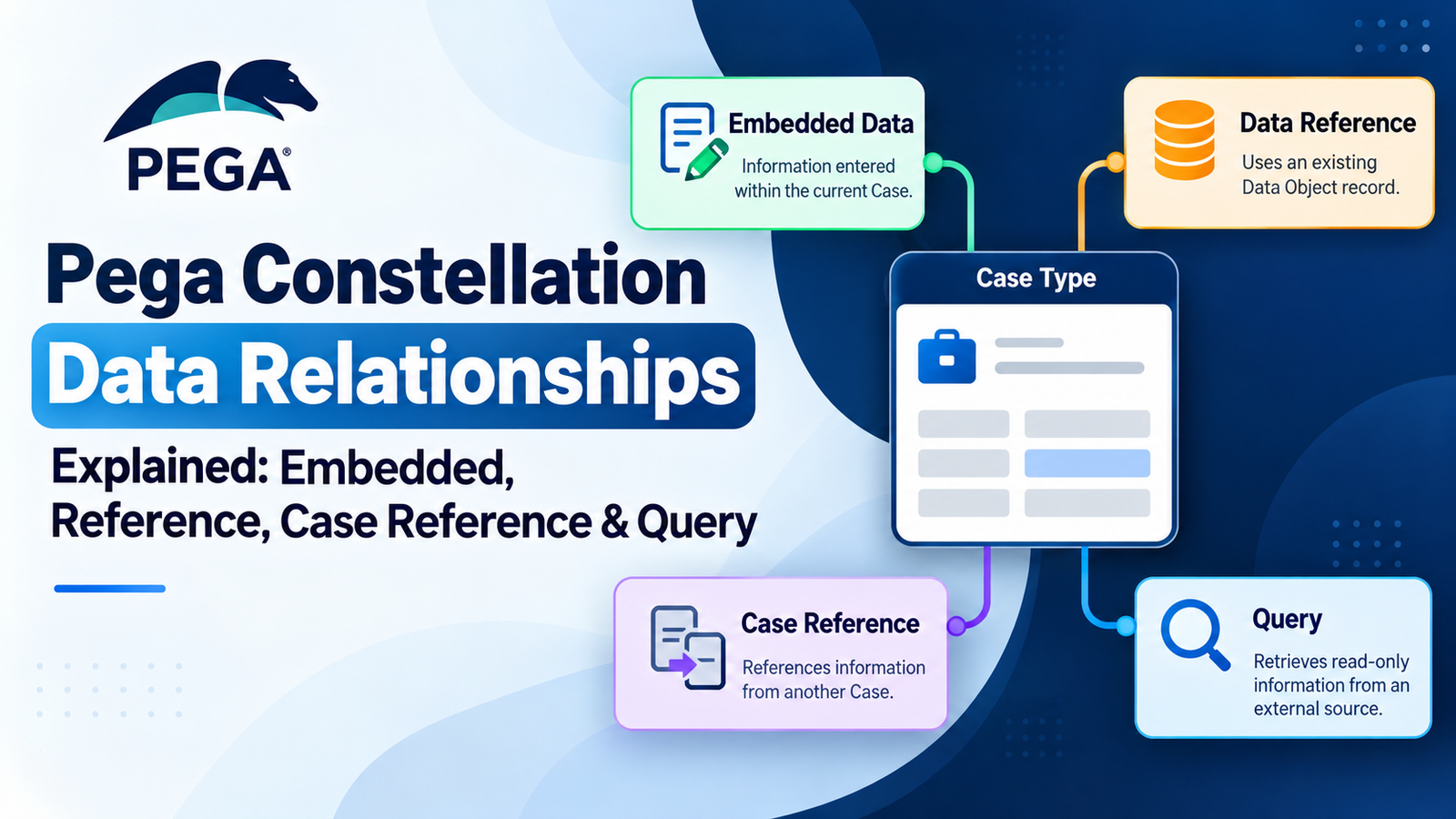
Pega provides four important data relationship field types:
- Embedded Data
- Data Reference
- Case Reference
- Query
Each relationship serves a different purpose.
The correct choice depends primarily on where the information comes from and how the application needs to use it.
Let’s explore each type with practical examples.
1. Embedded Data
What Is Embedded Data?
Embedded Data is used when information is captured as part of the current Case rather than being selected as an existing Data Object record.
For example, imagine a customer submitting a service request and entering the address where the service is required.
The address belongs to that particular request. The application can capture it as part of the Case.
Common examples of Embedded Data include:
- Service addresses
- Shipping addresses
- Emergency contact details
- Case-specific notes
- Information entered directly by a user
Example of Embedded Data
Consider a Service Request Case.
The user enters the following information:
- Street: 25 Main Road
- City: Hyderabad
- Postal Code: 500001
If these details are captured specifically for the current service request, Embedded Data may be an appropriate choice.
The relationship groups the address fields under the Service Address structure.
When Should You Use Embedded Data?
Use Embedded Data when the information is supplied within the current Case and needs to be maintained as part of that Case’s data.
For example, a delivery address may be different for every order, even when the same customer places multiple orders.
In this situation, capturing the address within the order can be more appropriate than requiring the user to select an existing address record.
Remember: Embedded Data is generally appropriate when the information belongs to the current Case.
2. Data Reference
What Is a Data Reference?
A Data Reference is used when a Case needs to use an existing Data Object record.
Instead of asking users to enter the same information repeatedly, the application can allow them to select an existing record.
For example, a company may already maintain customer information in an enterprise system.
That information could include the customer’s name, email address, phone number, and account details.
When creating a new Assistance Request, the user can select the appropriate Customer record instead of entering all the details again.
Example of Data Reference
Imagine a customer service application that contains an existing Customer Data Object.
When a representative creates a new service request, the application allows them to select the customer associated with that request.
The Case can then use the information associated with the selected Customer record.
Common examples of Data Reference include:
- Customers
- Accounts
- Products
- Employees
- Service locations
- Facilities
When Should You Use Data Reference?
Use Data Reference when the required information already exists as a Data Object outside the current Case.
The source may be a locally stored record or an external system of record.
For example, an order application can reference an existing Product Data Object rather than recreating all product details inside every order.
This approach supports reuse and helps reduce unnecessary duplication.
Remember: Data Reference means the current Case needs to use an existing Data Object record.
3. Case Reference
What Is a Case Reference?
A Case Reference is used when one Case needs to reuse information from another Case.
Unlike Data Reference, which connects a Case to a Data Object, Case Reference connects the current Case to another Case.
For example, a customer may have submitted several service requests in the past.
When the customer submits a new complaint, the support representative may need to refer to an earlier service request to understand the issue.
A Case Reference can support this requirement.
Example of Case Reference
Consider a customer support application.
A customer previously submitted a service request with the Case ID SR-1001.
Later, the customer raises a complaint about the same issue.
The new complaint may need to reference the previous service request.
Depending on the application design, the relationship can provide access to relevant information from the earlier Case.
Common examples include:
- Previous service requests
- Related complaints
- Existing claims
- Related support cases
- Parent or associated Cases
When Should You Use Case Reference?
Use Case Reference when the source of the required information is another Case.
For example, a claims application may need to associate a new claim with a previously created Case.
A customer service application may also need to connect a complaint with an earlier support request.
In both situations, the source is an existing Case rather than a standard Data Object.
Remember: Case Reference is appropriate when one Case needs to reference another Case.
4. Query
What Is a Query Relationship?
A Query relationship is used when an application needs read-only access to information external to the current Case.
The information can be retrieved through a Data Page or View, depending on the application configuration.
Unlike Embedded Data, which captures information as part of the Case, Query supports access to information retrieved from another source.
For example, a service representative may need to view available appointment slots for a selected date.
The application can retrieve the available slots using the appropriate data source and parameters.
Example of a Query Relationship
Consider an appointment scheduling application.
A user selects a service date and location.
The application then retrieves available appointment slots based on the selected parameters.
The results may come from an external service or another configured data source.
Common examples of information accessed through a Query relationship include:
- Available appointment slots
- Current weather information
- Search results
- External service options
- Dynamically retrieved information
When Should You Use Query?
Use Query when the application needs to retrieve and display read-only information from outside the current Case.
The data source, Data Page or View configuration, and query parameters determine how the required information is retrieved.
For example, an appointment application may need to display available time slots without storing those results as new Case data.
In this situation, Query can be appropriate.
Remember: Query is intended for retrieving information from an external source when the application requires read-only access.
Embedded Data vs. Data Reference vs. Case Reference vs. Query
Although all four relationship types connect related information, their purposes are different.
The following table summarizes the key differences.
| Relationship Type | Purpose | Example |
|---|---|---|
| Embedded Data | Captures information as part of the current Case | Service address |
| Data Reference | Uses an existing Data Object record | Customer or Product |
| Case Reference | References information from another Case | Previous service request |
| Query | Retrieves read-only information from an external source | Available appointment slots |
The most important distinction is the source of the information.
If the user supplies the information within the Case, consider Embedded Data.
If the information already exists in a Data Object, consider Data Reference.
If the information belongs to another Case, consider Case Reference.
If the application needs read-only information from an external source, consider Query.
This approach makes selecting the appropriate relationship much easier.
Single Record vs. List of Records
Selecting the relationship type is only one part of designing the data model.
You must also decide whether the relationship should contain a single record or a list of records.
In Pega Constellation, this decision depends on the business requirement and is separate from the choice of relationship field type.
What Is a Single-Record Relationship?
A single-record relationship is appropriate when the Case needs one related record.
For example, a Service Request may need one primary customer.
Other examples include:
- One primary account
- One service address
- One selected facility
Consider the following scenario.
A Service Request Case is associated with one Customer record.
If the business requirement allows only one primary customer for that relationship, a single-record configuration is appropriate.
What Is a List-of-Records Relationship?
A list-of-records relationship is appropriate when the Case needs multiple related records.
For example, an online order may contain several products.
The order could include:
- Product A — Quantity 2
- Product B — Quantity 1
- Product C — Quantity 3
Each product represents a separate item associated with the order.
Other examples include:
- Multiple participants
- Multiple products
- Multiple related references
- Multiple service requests
How Do You Choose the Correct Cardinality?
Start with the business requirement.
If the Case needs one customer, model the relationship accordingly.
If the Case needs several products, configure a relationship that supports multiple records.
Do not choose a list simply because the user interface can display multiple entries.
Similarly, do not force multiple business records into a single-record structure.
The relationship should represent the actual business requirement, not just the appearance of the form.
Quick Decision Table for Pega Data Relationships
Use this table as a quick reference when designing your application.
| Business Requirement | Recommended Choice |
|---|---|
| The user enters information directly into the Case | Embedded Data |
| The Case uses an existing Data Object | Data Reference |
| The Case needs information from another Case | Case Reference |
| The Case needs read-only external information through a Data Page or View | Query |
| The Case requires one related record | Single record |
| The Case requires multiple related records | List of records |
This table provides a useful starting point.
However, always validate your selection against the actual data source, application configuration, and business requirements.
Real-World Example: Data Relationships in an Online Order
An online ordering application provides a useful example of how different relationships work together.
Imagine a Delivery Order Case that needs the following information:
- Customer details
- Payment information
- Products
- Product quantities
Although these details belong to the same order, they do not necessarily have the same source.
Let’s examine how the application could model each relationship.
1. Customer — Data Reference
The customer already exists in the application’s customer data source.
The order needs to use the existing Customer record.
Therefore, Data Reference is an appropriate option.
2. Payment Information — Embedded Data
Suppose the application captures payment-related information directly as part of the current order.
If the business requirements and data model support this approach, Embedded Data may be appropriate.
The payment information is then associated with the current order.
The exact implementation should reflect the application’s payment processing and data handling requirements.
3. Product — Data Reference
The products already exist in a product catalog.
The order needs to use the selected Product records rather than recreate the entire product information for every order.
Data Reference can connect the order to the existing product data.
4. Ordered Items — List of Records
An order may contain several products, and each product may have a different quantity.
For example:
| Product | Quantity |
|---|---|
| Laptop | 1 |
| Keyboard | 2 |
| Mouse | 1 |
The application needs to represent multiple ordered items.
A list-of-records relationship is appropriate for this requirement.
Each item can contain its own product reference and quantity.
What Does This Example Teach Us?
The online ordering example demonstrates that a single Case can use multiple relationship types.
The Customer and Product relationships can reuse existing Data Objects.
Payment information can be modeled according to how the application captures and manages it.
Ordered Items can represent multiple records because an order may contain several products.
The key lesson is that each relationship should be designed according to its data source and business purpose.
Data Relationships Between Data Objects
Data relationships are not limited to Case Types.
A Data Object can also contain relationships with other Data Objects.
For example, consider a Product Line structure that contains a Product and a Quantity.
The Product information may come from an existing product data source, while Quantity is supplied as part of the current transaction.
The application can model these fields according to their different purposes.
This approach helps separate reusable business information from transaction-specific details.
For example:
- Product: Existing information about a product.
- Quantity: The number of units required for a particular order.
Keeping these concepts separate can make the data model easier to reuse across different Cases.
It also helps developers avoid recreating information that already exists elsewhere in the application.
When designing relationships between Data Objects, consider whether the related information represents a reusable business entity or a value specific to the current transaction.
Common Mistakes to Avoid When Designing Data Relationships
Even when the four relationship types are understood, choosing the right structure can be challenging.
The following mistakes are worth avoiding.
1. Embedding Every Data Object
Not every piece of information should be embedded in a Case.
If the information already exists as a reusable Data Object, referencing that record may be more appropriate.
For example, recreating complete Customer information inside every service request can introduce unnecessary duplication.
Instead, consider whether the Case should reference the existing Customer record.
2. Treating a Reference Like User-Entered Data
A Data Reference and Embedded Data serve different purposes.
If the user needs to select an existing Customer, Product, or Account, do not automatically recreate the entire object inside the Case.
First, identify whether the information already exists in a reusable data source.
Then choose the relationship that reflects how the application should use it.
3. Ignoring the Data Source
One of the most common modeling mistakes is selecting a relationship based only on how the form should look.
Instead of asking which field type looks appropriate, ask:
Where does this information come from?
The answer helps determine whether Embedded Data, Data Reference, Case Reference, or Query is suitable.
Understanding the source before configuring the relationship can prevent unnecessary changes later.
4. Choosing a List Without a Business Requirement
A list-of-records relationship should represent a genuine need for multiple related records.
For example, if a Case requires one primary customer, a single-record relationship may be sufficient.
If an order needs several products, a list-of-records relationship is more appropriate.
Choose cardinality according to the business requirement rather than the number of fields displayed on the screen.
5. Designing the Data Model Only From the User Interface
A form may display information in different ways, but the interface should not determine the entire underlying data model.
Start by understanding the business process and the source of the information.
Then choose the appropriate relationship and configure the View to support the user’s workflow.
A useful design sequence is:
Business Requirement → Data Source → Relationship Type → Record Structure → View
Following this sequence helps keep the data model and user interface aligned.
Best Practices for Pega Constellation Data Relationships
Following a consistent approach can make your data model easier to understand, maintain, and extend.
1. Start With the Business Requirement
Understand what the application needs to accomplish before creating a relationship.
Identify the business entity, the information required, and how that information will be used.
This helps prevent unnecessary complexity.
2. Identify the Source of the Data
Determine where the information originates.
It may be:
- Supplied directly by the user
- Stored in a Data Object
- Stored in another Case
- Retrieved through a Data Page or View
Understanding the source is one of the most important steps in selecting a relationship type.
3. Choose the Appropriate Relationship Type
Use the relationship that matches the data source and intended behavior.
For example, use Data Reference when the Case needs an existing Data Object, and consider Case Reference when it needs information from another Case.
For read-only information retrieved from an external source, evaluate whether Query is appropriate.
4. Decide Between a Single Record and a List
Determine how many related records the business process requires.
A Case may need one Customer but several Products.
Model these requirements explicitly rather than assuming that every relationship should have the same structure.
5. Reuse Existing Data Objects
Avoid unnecessarily duplicating common business entities.
Where appropriate, reference existing records such as Customers, Products, and Accounts.
Reuse can help maintain consistency and reduce repeated data entry.
6. Keep the Data Model and View Aligned
The data model defines how information is structured and related.
The View determines how users interact with that information.
Both should support the business process without forcing the underlying data structure to fit an arbitrary screen layout.
7. Consider Future Reuse
Before creating a new structure, consider whether another Case Type or Data Object could benefit from it.
Reusable data structures can help applications remain consistent as business requirements evolve.
At the same time, reuse should reflect genuine business relationships rather than introduce unnecessary dependencies.
Frequently Asked Questions (FAQs)
1. What are data relationships in Pega Constellation?
Data relationships organize related fields and connect information to Case Types, Data Objects, or other Cases. They help applications represent business data according to its source and purpose.
2. What are the four types of data relationships in Pega Constellation?
The four relationship field types covered in this guide are Embedded Data, Data Reference, Case Reference, and Query. Each serves a different purpose based on where the information comes from and how the application uses it.
3. What is the difference between Embedded Data and Data Reference?
Embedded Data is used for information captured as part of the current Case. Data Reference is used when the Case needs to use an existing Data Object record.
For example, a case-specific service address may use Embedded Data, while an existing Customer record may use Data Reference.
4. When should you use Case Reference in Pega?
Use Case Reference when one Case needs to reference information from another Case.
For example, a new complaint may need to be associated with a previously submitted service request.
5. What is Query used for in Pega Constellation?
Query is used for read-only access to information external to the current Case. It can use a Data Page or View and associated parameters to retrieve the required information.
An example is retrieving available appointment slots for a selected date.
6. What is the difference between a single record and a list of records?
A single-record relationship represents one related record, such as one Customer associated with a Case.
A list-of-records relationship represents multiple related records, such as several Products associated with an Order.
The choice depends on the business requirement.
7. Can a Pega Case use multiple data relationship types?
Yes. A Case can use different relationship types for different data requirements.
For example, an online order can reference an existing Customer and existing Products while also capturing order-specific information.
8. Why are data relationships important in Pega applications?
Data relationships help organize information, reuse existing records, represent business requirements accurately, and reduce unnecessary duplication.
A well-designed data model also makes applications easier to maintain and extend.
9. How do you choose the right data relationship in Pega?
Start by identifying the source of the information and how the application needs to use it.
Then determine whether the relationship should contain one record or multiple records.
Finally, validate the design against the application’s business requirements and data model.
Conclusion
Understanding data relationships is essential when building maintainable Pega Constellation applications.
The goal is not simply to memorize four field types. It is to understand where the information comes from, how it should be used, and whether the application needs one record or multiple records.
To recap:
- Embedded Data: Use it for information captured as part of the current Case.
- Data Reference: Use it to work with an existing Data Object record.
- Case Reference: Use it when one Case needs to reference another Case.
- Query: Use it for read-only information retrieved from an external source through the appropriate configuration.
You should also determine whether each relationship represents a single record or a list of records.
By applying these principles, you can design a data model that supports reuse, maintains clear relationships, and reflects the actual business process.
Ultimately, effective Pega Constellation Data Relationships help you move beyond adding fields to a screen. They enable you to design how an application organizes, reuses, and works with business information.
Official Pega References
For further learning, consult the following resources referenced in the original material:
- Pega Academy — Creating a Data Relationship, Pega Platform ’26
- Pega Academy — Data Relationships
- Pega Academy — Solution Builder Foundations
