
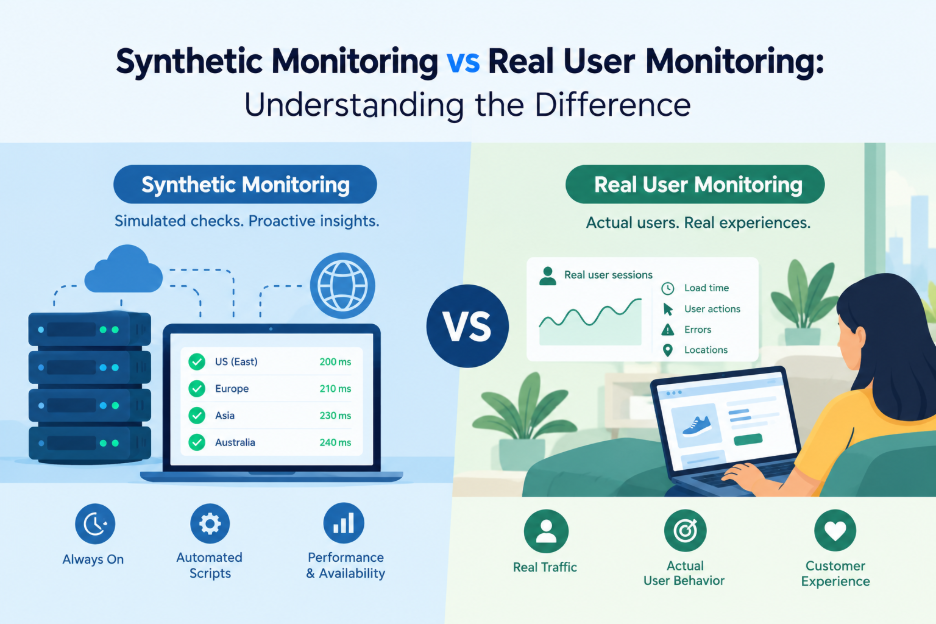
Website performance monitoring comes in two main flavors, and most teams mix them up or pick one without knowing why. Synthetic monitoring and real user monitoring (RUM) solve different problems, even though both fall under the umbrella of application performance monitoring (APM). Getting the distinction right decides whether your team catches issues before customers notice, or finds out about a broken checkout page from an angry email.
What Is Synthetic Monitoring?
Synthetic monitoring, sometimes called proactive monitoring or active monitoring, uses scripted tests to simulate user behavior on a website or application. These scripts run on a schedule, from various locations around the world, checking whether a page loads, a login form works, or an API responds within an acceptable time.
Think of it as a robot that logs into your app every five minutes and clicks through the same steps every time. Tools such as Pingdom, Datadog Synthetics, New Relic Synthetics, and Selenium-based frameworks handle this job. Since synthetic checks run against controlled, repeatable scripts, they are excellent for:
- Catching downtime before real users hit it
- Testing critical user journeys such as checkout flows or login pages
- Measuring uptime and availability from multiple geographic regions
- Validating third-party API integrations
- Benchmarking page load times under consistent conditions
Because synthetic tests run on a fixed schedule and don’t depend on actual traffic, they work even during off-peak hours or before a product officially launches. A QA team can run synthetic checks against a staging environment days before real users ever touch the app.
The tradeoff is that synthetic monitoring only tells you what happens under the exact conditions you scripted. It won’t tell you how a user on a three-year-old Android phone with a spotty 3G connection experiences your site, because that scenario was never coded into the test.
What Is Real User Monitoring (RUM)?
Real user monitoring, or RUM, takes the opposite approach. Instead of simulating traffic, it collects performance data from actual visitors as they use your website or app. A small JavaScript snippet embedded in the page captures metrics like page load time, Core Web Vitals, time to first byte, and JavaScript errors, then sends that data back for analysis.
RUM answers a different set of questions than synthetic monitoring. It tells you:
- How real visitors experience your site across different browsers, devices, and network conditions
- Which geographic regions or user segments face slower load times
- How performance correlates with bounce rate and conversion rate
- Where actual users hit errors that synthetic scripts never caught
- Core Web Vitals scores (Largest Contentful Paint, First Input Delay, Cumulative Layout Shift) as Google actually measures them for search ranking purposes
Because RUM depends on live traffic, a low-traffic page or a newly launched feature may not generate enough data for meaningful analysis right away. RUM is also reactive by nature. It tells you a problem happened, not that one is about to happen.
Synthetic Monitoring vs RUM: The Core Differences
| Factor | Synthetic Monitoring | Real User Monitoring |
| Data source | Scripted simulations | Actual user sessions |
| Timing | Scheduled, continuous | Only when users are active |
| Best for | Uptime, availability, critical path testing | Real-world user experience, Core Web Vitals |
| Works pre-launch | Yes | No, requires live traffic |
| Detects | Downtime, broken flows, API failures | Slow pages, browser-specific bugs, regional issues |
| Consistency | Same test, same result each time | Varies by device, browser, location, network |
Why Not Just Pick One?
This is the question most engineering and QA teams eventually ask, and the honest answer is: don’t pick one. Synthetic monitoring and RUM cover each other’s blind spots.
Synthetic monitoring catches the outage that happens at 3 AM when nobody is browsing your site. RUM catches the checkout button that only breaks on Safari for iOS 15 users in a specific region, something no synthetic script was ever written to test. A team running only synthetic checks might report 100% uptime while actual customers struggle with a slow-loading cart on mobile. A team running only RUM won’t know a page is down until real traffic drops and someone notices the dashboard went quiet.
Most mature monitoring setups run both side by side:
- Synthetic monitoring watches critical paths around the clock and alerts the team the moment something breaks, before customers file a complaint.
- RUM feeds back real performance data that guides prioritization, so the team fixes what actually hurts users rather than chasing theoretical bottlenecks.
Common Use Cases in QA and Test Automation
For QA engineers already working with frameworks like Selenium or Playwright, synthetic monitoring is a natural extension of existing automation skills. The same scripting logic used for functional test cases can be repurposed to check uptime and transaction flows on a recurring schedule. Many teams built on the Pega Selenium Starter Kit or similar frameworks already have reusable step definitions that translate directly into synthetic monitoring scripts.
RUM, on the other hand, usually lives closer to the frontend and product analytics side. It requires collaboration with developers to embed tracking snippets correctly and with product teams to interpret what the Core Web Vitals data means for conversion and SEO.
How This Affects SEO and Core Web Vitals
Google’s page experience signals rely on field data, meaning RUM data collected from real Chrome users through the Chrome User Experience Report (CrUX), not synthetic lab data. A site can score perfectly in a synthetic Lighthouse test and still rank poorly if real users on slower connections experience a sluggish Largest Contentful Paint. This is one reason RUM has become essential for any SEO strategy focused on page experience, not just a nice-to-have for engineering teams.
That said, synthetic tools like Lighthouse and PageSpeed Insights remain useful for diagnosing why a page is slow, since they provide a controlled, repeatable environment to test fixes before pushing them live. Lab data (synthetic) and field data (RUM) work together: one for diagnosis, one for real-world validation.
Frequently Asked Questions
Is synthetic monitoring the same as uptime monitoring?
Uptime monitoring is a subset of synthetic monitoring. Synthetic monitoring covers uptime checks plus more complex scripted transactions, such as completing a purchase or logging into an account.
Does RUM slow down my website?
A well-implemented RUM script is lightweight, typically a few kilobytes, and loads asynchronously so it does not block page rendering. The performance cost is minor compared to the visibility it provides.
Can I use RUM data for SEO?
Yes. RUM data, particularly Core Web Vitals, directly feeds into Google’s page experience ranking signals through the Chrome User Experience Report.
Which one should a small team set up first?
Start with synthetic monitoring for critical flows like login and checkout, since it works even with low traffic and catches outages fast. Add RUM once the site has enough consistent traffic to generate meaningful field data.
Do synthetic monitoring and RUM use the same tools?
Some platforms, such as Datadog, New Relic, and Dynatrace, offer both under one roof. Others specialize, for example Pingdom and UptimeRobot for synthetic checks, and tools like SpeedCurve or Google’s own CrUX dashboard for RUM.
The Bottom Line
Synthetic monitoring and real user monitoring are not competing strategies, they are two halves of a complete performance monitoring picture. Synthetic monitoring gives you control, consistency, and early warning before a problem reaches customers. RUM gives you truth, the unfiltered reality of how actual users experience your site across every device, browser, and network condition you didn’t think to test. Teams that rely on only one are working with half the picture. Teams that combine both catch problems earlier, fix what genuinely matters to users, and build a monitoring strategy that holds up under both scrutiny and scale.
