
Security in Pega is not just about authentication — it’s about defining who can do what inside an application. Pega uses a layered access control model that determines what users can see, which actions they can perform, and which rules or cases they can access.
Three key building blocks form the foundation of Pega security:
➡️ Access Groups
➡️ Access Roles
➡️ Privileges
Let’s break them down.
Access Groups — What application and capabilities does a user have?
An Access Group associates a user with:
- The application they are working on
- The version of the application
- The portal/UI they will see (App Studio, User Portal, Manager Portal, etc.)
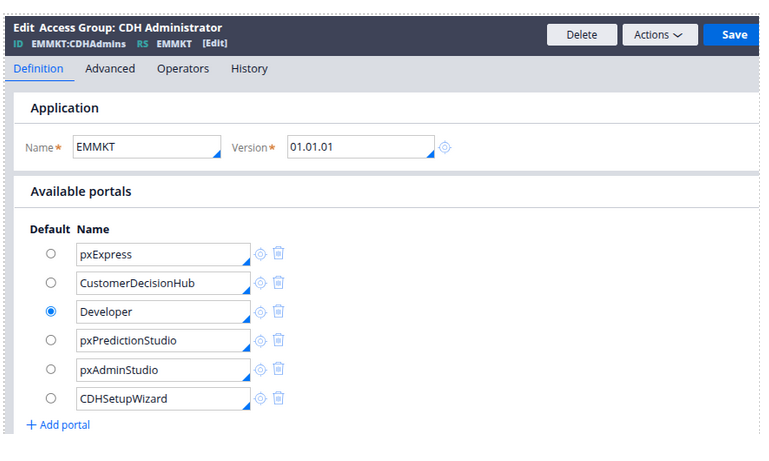
Think of an Access Group as a container that selects:
“Which app + which UI + what roles should this user have?”
Example:
SalesManager:01.01.01 → allows a user to work in the Sales application and open Manager Portal.
Users can have multiple access groups, but only one active at a time.
Access Roles — What level of access should a user have?
Access Roles define the actions a user can perform on cases, data, and rules.
A Role can define permissions such as:
- Whether a user can read a case
- Whether they can update a specific data class
- Whether they can run a report
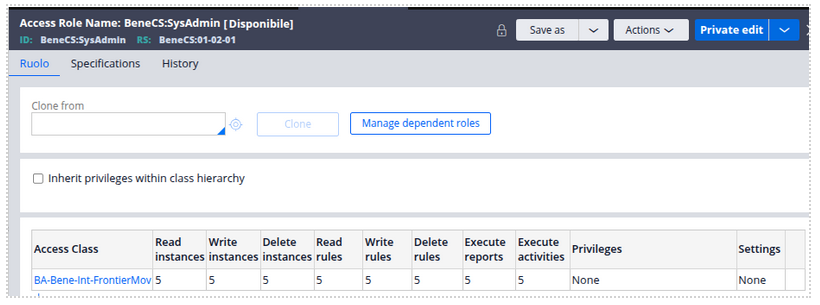
Roles are mapped to an Access Group, and multiple roles can be combined to give the user the correct permissions.
Examples:
- PegaRULES:User
- PegaRULES:SysAdm4
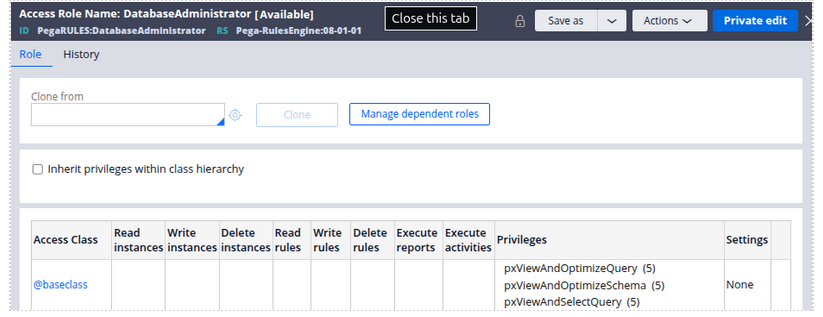
Roles rely on underlying security rules such as:
- Access of Role to Object (ARO) → defines access level to classes
- Access When rules → allow conditional access decisions
Privileges — Access to specific rules or actions
Privileges provide granular, rule-level security.
You attach a privilege to a rule to control who can execute that specific rule.
Example:
- A Flow Action can require privilege ApproveLoan
- Only users with a Role that contains that privilege can execute that step
Privileges help when:
- Certain actions should only be allowed for managers
- Sensitive rules require restricted access (e.g., updating customer data)
A single role can contain multiple privileges.
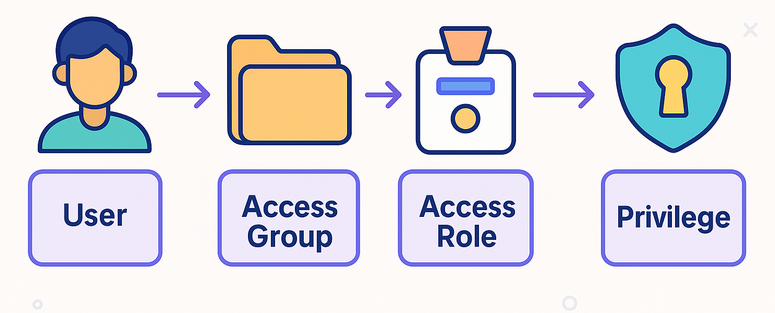
How They Work Together (Simple Breakdown)
- A user is assigned an Access Group.
This defines which application and portal the user can open.
- The Access Group contains one or more Access Roles.
These roles determine what the user is allowed to do inside the application. Each Access Role includes specific permissions and optional privileges. These permissions define access to classes, rules, and operations like read, write, or delete.
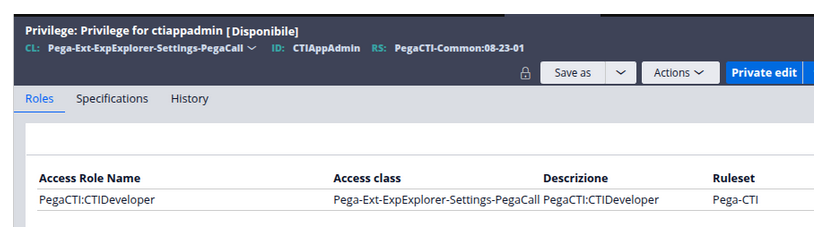
- Privileges give control at the most granular level.
If a rule (like a flow action or section) requires a privilege, only users with a role containing that privilege can execute it.
Summary
Securing applications correctly is critical — not only for compliance and audit readiness, but for ensuring that users have access only to what they need to get their job done.
Design access thoughtfully.
Grant roles intentionally.
Control privileges wisely.
