

Introduction
In Pega, every interaction with the system happens through a requestor. Whether a user logs in, a background job runs, or an external system invokes a service, Pega creates a requestor to process that work.
Understanding requestor types and their lifecycle is critical for:
- Performance tuning
- Debugging production issues
- Designing scalable applications
- Capacity planning in Pega environments
This article explains what requestors are, the different requestor types in Pega, and how each type behaves throughout its lifecycle, in a clear and practical way.
What Is a Requestor in Pega?
A requestor is a runtime execution context that:
- Holds a clipboard
- Executes rules, flows, activities, and data pages
- Maintains session-related information
Each requestor is uniquely identified by a Requestor ID and exists for a specific purpose and duration.
Simply put: No requestor = no rule execution in Pega.
Types of Requestors in Pega
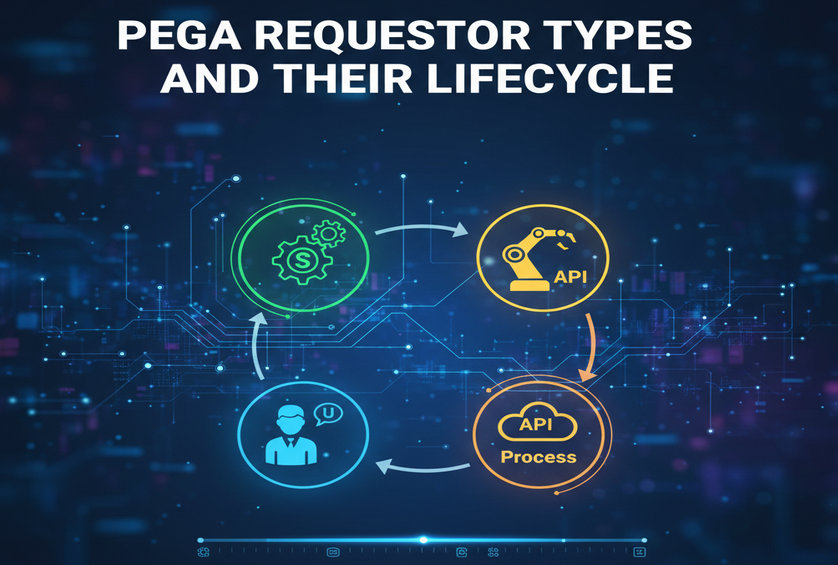
Pega mainly uses the following requestor types:
- Browser Requestor
- Application Requestor
- Background Requestor
- Service Requestor
Each type has a different creation trigger, lifetime, and usage pattern.
1. Browser Requestor
What It Is
A Browser requestor is created when a user accesses Pega through a web browser.
When It Is Created
- User opens the Pega application URL
- A new session is established
What It Is Used For
- Case creation and processing
- UI rendering (sections, harnesses)
- User-driven actions
Lifecycle
- Created at user login
- Clipboard initialized (Operator, Access Groups, Work pages)
- Executes user requests (clicks, submits, refreshes)
- Remains alive while the session is active
- Destroyed when the session times out or user logs out
Key Characteristics
- Long-lived
- Consumes more memory
- Tied to a single user session
2. Application Requestor
What It Is
An Application requestor supports browser requestors by running background tasks on their behalf.
When It Is Created
- Automatically created by Pega
- Typically one per node per application
What It Is Used For
- Declarative processing
- Data page loads
- Rule resolution support
- System-level processing
Lifecycle
- Created during node startup or application usage
- Shared across multiple browser requestors
- Runs continuously while the node is active
- Destroyed when the node shuts down
Key Characteristics
- Long-lived
- Shared requestor
- Improves performance by offloading work
3. Background Requestor
What It Is
A Background requestor is used for asynchronous and scheduled processing.
When It Is Created
- Job Schedulers
- Queue Processors
- Background Agents
What It Is Used For
- Batch processing
- Case automation
- Retry mechanisms
- Periodic system tasks
Lifecycle
- Created when a background task starts
- Executes assigned job or queue item
- Clipboard created for the task
- Destroyed after task completion (or reused from a pool)
Key Characteristics
- Short-lived or pooled
- Not tied to user sessions
- Critical for scalability
4. Service Requestor
What It Is
A Service requestor handles inbound service requests from external systems.
When It Is Created
- REST, SOAP, File, or JMS service invocation
What It Is Used For
- API integrations
- External system communication
- Headless case processing
Lifecycle
- Created when a service request is received
- Authenticates and authorizes the request
- Executes service activity or data transform
- Returns response
- Destroyed immediately after completion
Key Characteristics
- Very short-lived
- Stateless
- High-volume capable
Requestor Lifecycle Comparison
| Requestor Type | Created By | Lifetime | Typical Use Case |
| Browser | User login | Long | UI & case work |
| Application | System | Very long | System support |
| Background | Scheduler / Queue | Short / pooled | Async jobs |
| Service | External call | Very short | API processing |
Clipboard and Requestors
Each requestor maintains its own clipboard:
- Browser requestors have large clipboards
- Background and service requestors have minimal clipboards
- Poor clipboard management directly impacts performance
This is why best practices recommend:
- Avoiding unnecessary page creation
- Clearing temporary pages
- Using data pages instead of local pages
Why Requestor Knowledge Matters in Real Projects
Understanding requestors helps you:
- Identify memory leaks
- Tune session timeouts
- Design scalable integrations
- Choose between synchronous and asynchronous processing
- Debug performance issues using PAL and AES
Common Misconceptions
- ❌ One user = one requestor only (Application requestors also participate)
- ❌ Background work runs in browser requestors
- ❌ Service requests reuse browser sessions
Conclusion
Requestors are the execution backbone of Pega. Each requestor type is designed for a specific purpose, with a distinct lifecycle and performance impact.
A solid understanding of requestor types enables Pega professionals to build efficient, scalable, and production-ready applications—and to troubleshoot issues with confidence.
–TEAM ENIGMA
