

Introduction
This document provides instructions on how to generate test coverage for your Laravel application using the php artisan test command and additional tools like PHPUnit and Xdebug.
Test coverage is essential for ensuring that your code is well-tested and behaves as expected. By using these tools, you can generate detailed reports on which lines of your codebase are covered by tests.
Before you can generate test coverage reports, you need to ensure the following prerequisites are in place:
- Install PHPUnit
Laravel comes with PHPUnit out of the box, but you need to make sure it is properly installed and set up. You can check the version by running:
- php artisan –version
- Install Xdebug
To generate test coverage, you will need Xdebug, a PHP extension that provides code coverage functionality. To install it, follow the instructions specific to your operating system and PHP version.
- Install Composer Dependencies
If not already done, you will need to install the required PHP dependencies:
- composer install
Setting Up Test Coverage in Laravel
- Enable Code Coverage
To enable code coverage for tests, you’ll need to set up PHPUnit to use Xdebug. In your phpunit.xml file, make sure that the coverage settings are enabled. You can do this by adding the following configuration:
2.
<coverage processUncoveredFiles=”false”>
<include>
<directory suffix=”.php”>./app</directory>
</include>
</coverage>
Configure Xdebug for Coverage
You must configure Xdebug to collect coverage information. Make sure you enable the following in your php.ini (or equivalent configuration file):
zend_extension=xdebug.so
xdebug.mode=coverage
Run Tests with Coverage Report
To run your tests and generate a code coverage report, you can use the following command:
php artisan test –coverage
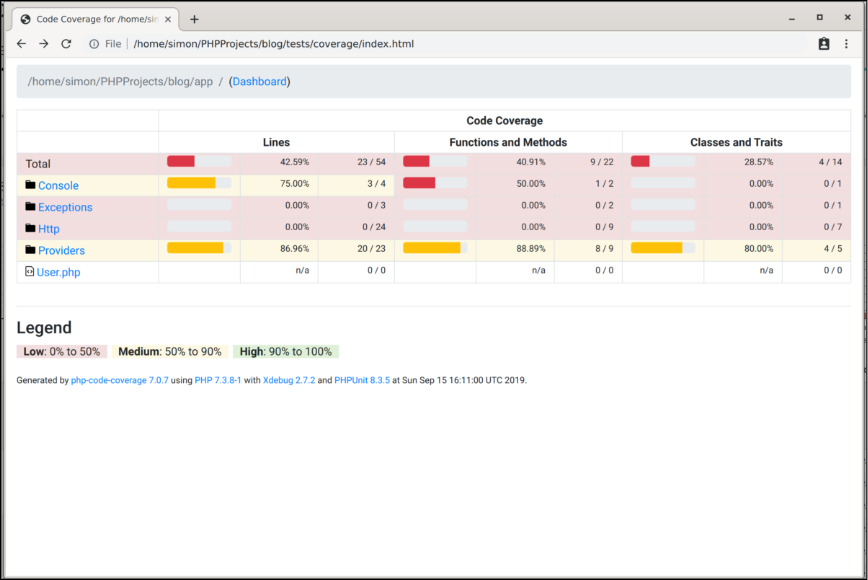
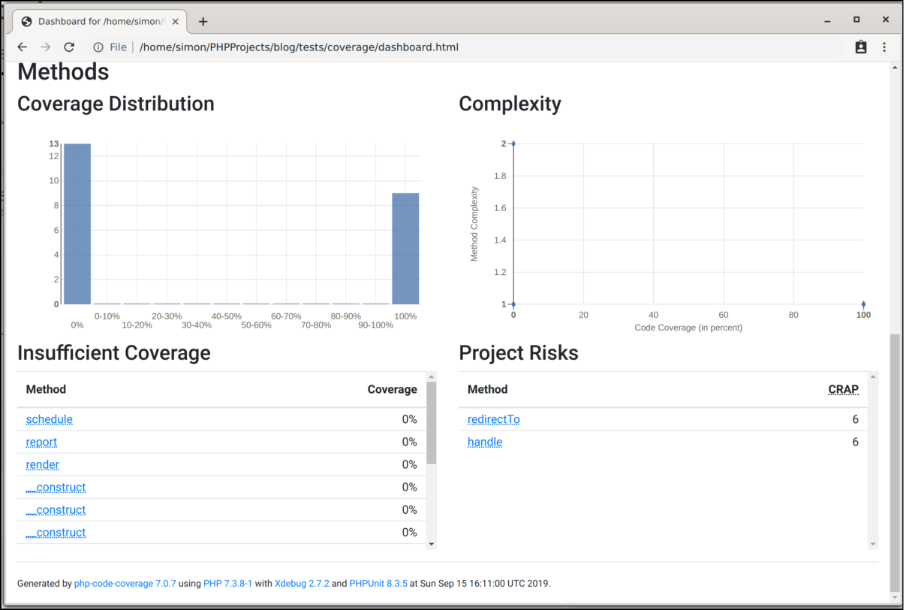
This will run the tests and show coverage information in the terminal. If you want to generate an HTML report for better visualization, use:
php artisan test –coverage –coverage-html=coverage-report
Advantages of Using Test Coverage in Laravel
- Ensures Code Quality
Test coverage helps ensure that your code is thoroughly tested. By measuring which parts of your codebase are exercised during tests, you can identify areas that may have been overlooked or require more attention. This leads to better overall code quality and fewer bugs.
- Reduces the Risk of Regression
As your application grows, it’s easy for bugs to sneak in when new features or changes are introduced. Test coverage helps you spot regressions early, as tests that cover previously tested code will quickly fail if anything breaks. This gives you confidence that new changes won’t unintentionally break existing functionality.
- Provides Clear Documentation
Coverage reports serve as living documentation for your tests. New developers joining your project can quickly see which parts of the application are tested and which are not. It can also help them write tests for untested or partially tested code.
- Helps Identify Dead Code
Coverage reports often highlight code that is not being executed during tests. This can help you identify unused or “dead” code, which can be safely refactored or removed, improving your codebase’s maintainability and reducing technical debt.
- Improves Test Design
When generating a coverage report, you may notice patterns in which code isn’t being tested. This can help improve the design of your tests by pointing out edge cases, untested branches, or paths that require more specific test cases. It forces you to write better, more comprehensive tests.
- Boosts Confidence in Code Changes
When you know that the majority (or ideally, all) of your code is covered by automated tests, it becomes much easier to make changes with confidence. You can refactor or update code without worrying that you’ll inadvertently break something.
- Helps in Continuous Integration (CI)
Integrating code coverage into a Continuous Integration pipeline provides continuous feedback on the health of your application. Coverage reports in CI can alert you when tests are missing or when coverage drops, ensuring that your codebase maintains a high level of reliability over time.
- Facilitates Code Reviews
When working in teams, code reviews are easier and more efficient when there’s solid test coverage.
