
Introduction
The personal computer is entering a new era.
For decades, computers have primarily depended on processors and cloud services to run applications and perform complex tasks. Today, artificial intelligence is changing that model. A new generation of computers known as AI PCs is bringing dedicated AI processing directly into laptops and desktops.
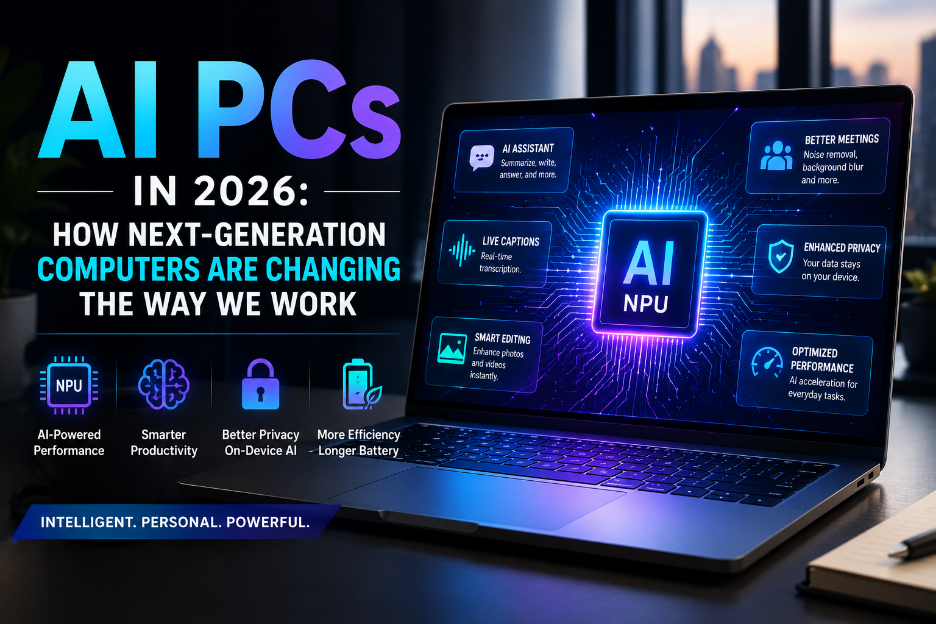
In 2026, AI PCs are moving beyond being a marketing trend. Manufacturers are increasingly designing computers with dedicated Neural Processing Units (NPUs) capable of handling AI workloads locally. This enables features such as real-time transcription, intelligent image editing, background processing, and AI-powered productivity tools without sending every task to a remote cloud server.
But what exactly makes a computer an AI PC, and how different is it from a traditional laptop?
Let’s explore how AI PCs work, what they can do, and why they could change everyday computing.
What Is an AI PC?
An AI PC is a computer designed with dedicated hardware for running artificial intelligence workloads.
Traditional computers typically rely on the CPU and GPU for most processing tasks. AI PCs add an additional component called an NPU, or Neural Processing Unit.
The NPU is specifically optimized for AI operations and machine-learning workloads.
A modern AI PC can therefore divide workloads between:
- CPU: General-purpose computing and applications.
- GPU: Graphics, gaming, video editing, and highly parallel workloads.
- NPU: AI and machine-learning tasks.
This combination allows computers to run certain AI features more efficiently while reducing the workload placed on the CPU and GPU.
Why NPUs Matter
The NPU is one of the defining technologies behind AI PCs.
Unlike a CPU, which is designed to handle a broad range of computing tasks, an NPU is optimized for mathematical operations commonly used by AI models.
This makes it particularly useful for tasks such as:
- Speech recognition
- Image processing
- Background blur
- Noise cancellation
- Real-time translation
- Generative AI features
- Computer vision
- AI-powered productivity tools
Because these operations can run locally, applications don’t always need to send data to a cloud-based AI service.
AI PCs vs Traditional PCs
The biggest difference between an AI PC and a traditional computer is the presence of dedicated AI acceleration hardware.
| Feature | Traditional PC | AI PC |
| CPU | Yes | Yes |
| GPU | Usually | Yes |
| Dedicated NPU | Usually no | Yes |
| Local AI processing | Limited | Stronger |
| AI optimization | Software-based | Hardware + software |
| Cloud dependency for AI | Often higher | Can be lower |
| AI workloads | CPU/GPU | CPU/GPU/NPU |
The distinction is not simply about having an AI application installed. The hardware itself is designed to accelerate AI workloads.
What Can AI PCs Actually Do?
AI PCs are becoming capable of performing many tasks that previously required cloud-based services or more powerful hardware.
1. AI-Powered Video Calls
Video conferencing applications can use local AI processing to improve the quality of meetings.
AI features can include:
- Background removal
- Automatic framing
- Eye-contact correction
- Voice isolation
- Noise cancellation
- Lighting enhancement
Instead of relying entirely on cloud processing, some of these features can be handled directly on the computer.
2. Real-Time Transcription
AI PCs can process speech locally and convert conversations into text.
This can be useful for:
- Meetings
- Interviews
- Lectures
- Customer support
- Business calls
Local processing can also reduce latency and provide functionality when an internet connection is unavailable.
3. Generative AI
AI PCs can run smaller generative AI models locally.
Depending on the hardware and model, users can perform tasks such as:
- Summarizing documents
- Generating text
- Rewriting content
- Analyzing files
- Creating images
- Extracting information from documents
Cloud AI remains more capable for many large workloads, but local AI can provide faster and more private processing for suitable tasks.
4. Intelligent Image and Video Editing
AI is transforming creative applications.
Modern editing tools can automatically:
- Remove objects
- Enhance images
- Upscale low-resolution content
- Generate backgrounds
- Detect subjects
- Improve video quality
AI acceleration can make these features faster and more efficient.
5. Smarter Search
AI PCs can make it easier to find information stored on a computer.
Instead of remembering the exact filename, users may eventually be able to describe what they are looking for using natural language.
For example:
“Find the presentation I worked on about the marketing strategy last month.”
AI-powered search can interpret the request and identify relevant files.
The Privacy Advantage
One of the most interesting advantages of local AI processing is privacy.
Traditional AI services often require data to be uploaded to a remote server for processing. Depending on the application, that data could include documents, images, audio, or other sensitive information.
Local AI processing can keep certain information on the user’s device.
This can be particularly valuable for:
- Businesses
- Developers
- Healthcare organizations
- Financial professionals
- Legal teams
- Researchers
However, local AI does not automatically guarantee privacy. Software design, permissions, encryption, and security controls still matter.
AI PCs and Battery Life
Running AI workloads locally might sound like it would consume more power, but NPUs are designed to perform AI operations efficiently.
For suitable workloads, moving AI processing from the CPU to the NPU can reduce overall power consumption.
This is especially important for laptops.
Users could potentially benefit from:
- Longer battery life
- Less CPU usage
- Cooler devices
- More efficient background AI features
The actual benefit depends on the workload, hardware, and software optimization.
AI PCs for Professionals
AI PCs aren’t only designed for consumers.
Businesses are beginning to explore how local AI can improve workplace productivity.
Developers
Developers can use local AI tools for:
- Code assistance
- Documentation
- Debugging
- Code generation
- Test creation
Designers
Creative professionals can use AI acceleration for:
- Image generation
- Object removal
- Video enhancement
- Background replacement
- Automated editing
Business Users
Office workers can benefit from:
- Meeting summaries
- Document analysis
- Email assistance
- Data organization
- Presentation creation
IT Teams
AI PCs could also assist IT departments with:
- Local diagnostics
- System monitoring
- Automated troubleshooting
- Device management
- Security analysis
AI PCs and Offline AI
One of the biggest differences between cloud AI and local AI is connectivity.
Cloud-based AI generally requires an internet connection because processing happens on remote servers.
Local AI models can operate directly on the computer.
This makes AI features potentially useful in situations such as:
- Airplane travel
- Remote locations
- Poor network environments
- Restricted corporate networks
- Offline workflows
However, local models typically have hardware and performance limitations compared with large cloud-based models.
What Are the Limitations?
AI PCs are promising, but they aren’t magic machines.
Hardware Requirements
Running advanced AI models locally requires sufficient memory, processing power, and storage.
Not every AI application will run efficiently on every AI PC.
Smaller Local Models
Cloud providers can operate extremely large AI models using powerful data centers.
A laptop has significantly fewer resources.
As a result, local AI models may have fewer capabilities or lower accuracy for complex tasks.
Software Support
The NPU is only useful when applications are optimized to use it.
Developers need to build software that can take advantage of the available AI hardware.
Cost
New AI-focused hardware can be more expensive than traditional computers with similar general-purpose specifications.
Consumers therefore need to consider whether the AI capabilities justify the additional cost.
AI PCs and the Future of Personal Computing
The most important change may not be a single AI feature.
Instead, AI could gradually become a standard part of the operating system.
Rather than opening a separate AI application, users could interact with their computers naturally.
Imagine asking your computer to:
- Organize your files.
- Summarize today’s meetings.
- Find information across your documents.
- Prepare a presentation from your notes.
- Translate a conversation.
- Analyze a spreadsheet.
- Help troubleshoot a software problem.
The computer could become less like a collection of applications and more like an intelligent assistant that understands context.
AI PCs and the Developer Ecosystem
The growth of AI PCs is also changing how software developers build applications.
Developers increasingly need to consider where AI workloads should run:
On the device:
Better privacy, lower latency, and offline capability.
In the cloud:
Access to larger models and significantly greater computing resources.
Hybrid approach:
Use local AI for lightweight tasks and cloud AI for complex workloads.
This hybrid model could become one of the most common approaches to AI application development.
Will AI PCs Replace Cloud AI?
Probably not.
Instead, local and cloud AI are likely to coexist.
Cloud computing will remain important for large AI models, enterprise workloads, collaborative applications, and services requiring massive computing resources.
AI PCs will complement cloud AI by handling smaller and more privacy-sensitive workloads locally.
The future is likely to be hybrid rather than entirely local or entirely cloud-based.
What Should You Look for When Buying an AI PC?
If you’re considering an AI PC, don’t focus only on the “AI” label.
Look at:
- NPU performance
- CPU generation
- GPU capabilities
- RAM
- Storage
- Battery life
- Software compatibility
- Operating system support
- AI application support
Most importantly, consider what you actually plan to do with the machine.
If your workflow involves video editing, programming, content creation, productivity, or AI applications, dedicated AI hardware may provide meaningful benefits.
The Road Ahead
AI PCs are still developing.
As processors become more efficient and NPUs become more powerful, increasingly sophisticated AI models will be able to run directly on personal devices.
Future computers could provide:
- More capable local AI assistants
- Real-time multilingual translation
- Advanced personal knowledge management
- Smarter accessibility features
- AI-powered application automation
- More personalized computing experiences
The boundary between the operating system and AI assistant may eventually become increasingly difficult to distinguish.
Conclusion
AI PCs represent one of the biggest changes in personal computing in years. By combining CPUs, GPUs, and dedicated NPUs, these machines are designed to bring artificial intelligence closer to the user.
The biggest advantages are not simply faster AI applications. Local processing can provide lower latency, improved efficiency, greater offline capability, and potentially better privacy for certain workloads.
However, AI PCs are not a replacement for cloud computing, and their usefulness depends heavily on software support and the capabilities of the hardware.
As AI becomes a normal part of everyday software, the computer itself is becoming more intelligent. In the coming years, AI may stop feeling like an additional feature and instead become a fundamental part of how we interact with technology.
The next generation of PCs isn’t just about faster computing. It’s about making computers understand, assist, and work alongside us in entirely new ways.
