
An application can have well-designed APIs and a powerful server and still feel slow.
One common reason is database performance.
Consider this query:
SELECT *
FROM users
WHERE email = ‘john@example.com‘;
If the users table contains only a few hundred records, the query may feel instant.
But what happens when the table grows to millions of records?
This is where database indexing becomes important.
What Is a Database Index?
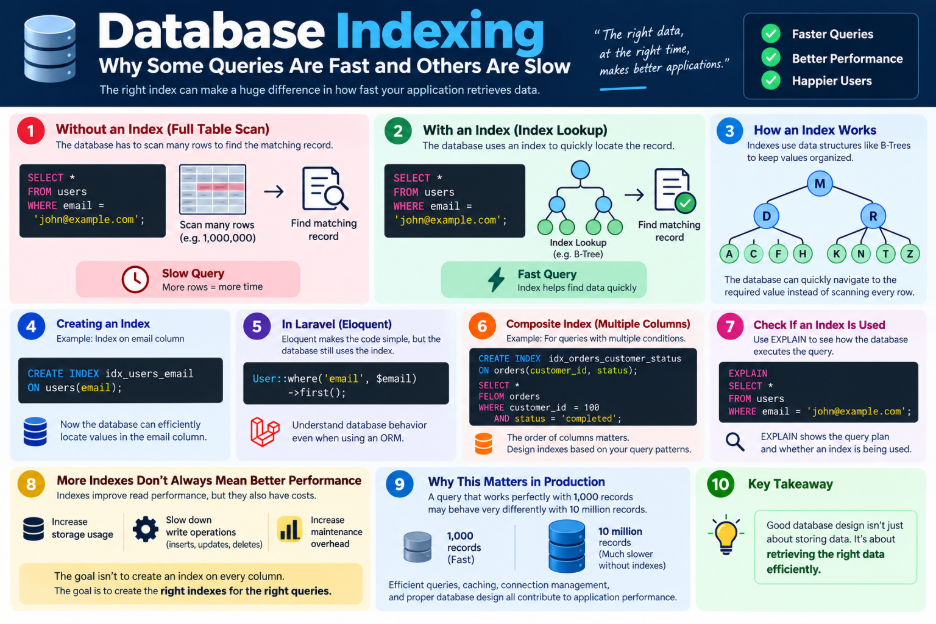
A database index is a data structure that helps the database find records faster without scanning the entire table.
Think of a book.
Instead of reading every page to find a topic, you use the index to locate it quickly.
A database works similarly:
Without Index
Query
↓
Scan many rows
↓
Find matching record
↓
Response
With an appropriate index:
Query
↓
Index Lookup
↓
Find matching record
↓
Response
A Simple Example
Suppose we frequently search users by email.
We can create an index:
CREATE INDEX idx_users_email
ON users(email);
Now the database has a structure designed to efficiently locate values in the email column.
In a Laravel application, we might write:
User::where(’email’, $email)->first();
Although Eloquent makes the code simple, the database still has to execute the underlying query efficiently.
This is why understanding database behavior is important even when using an ORM.
What About Multiple Columns?
Sometimes queries filter using multiple fields:
SELECT *
FROM orders
WHERE customer_id = 100
AND status = ‘completed’;
A composite index may help:
CREATE INDEX idx_orders_customer_status
ON orders(customer_id, status);
The order of columns matters, so indexes should be designed based on the application’s actual query patterns.
More Indexes Don’t Always Mean Better Performance
Adding indexes can improve read performance, but indexes also have costs.
Every insert, update, or delete may require the database to maintain those indexes.
Too many indexes can therefore:
- Increase storage usage
- Slow down write operations
- Increase maintenance overhead
The goal isn’t to create an index on every column.
The goal is to create the right indexes for the right queries.
How Do You Know If an Index Helps?
Don’t guess.
Use tools such as:
EXPLAIN
SELECT *
FROM users
WHERE email = ‘john@example.com‘;
EXPLAIN can help you understand how the database plans to execute the query and whether an index is being used.
A good optimization process is:
Slow Query
↓
EXPLAIN
↓
Understand Query Plan
↓
Check Indexes
↓
Optimize
↓
Measure Again
Why This Matters in Production
A query that works perfectly with:
1,000 records
may behave very differently with:
10 million records.
This is why database performance should be considered during development rather than only after an application becomes slow in production.
Indexes are only one part of the bigger picture. Efficient queries, caching, connection management, and proper database design all contribute to application performance.
